
Expertise and Performance for Points of Sale
Explore all our articles, practical tips, and news to better understand signage challenges and optimize the management of your points of sale.

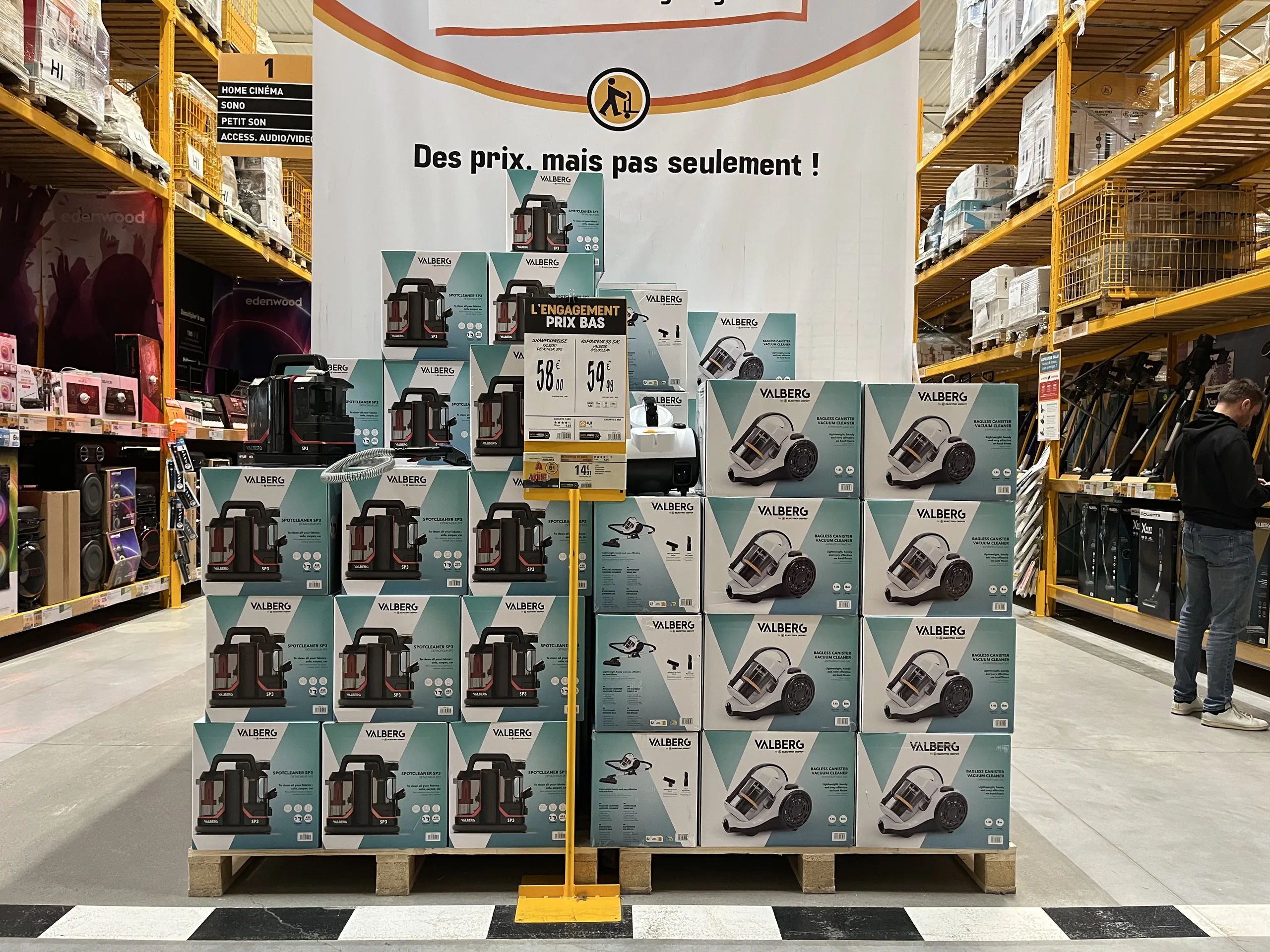
POS and POP: How to succeed with your in-store promotional materials
POS or POP—point-of-sale advertising or point-of-sale information: definitions, key materials, what makes POS truly effective, and how to consistently deploy a promotional campaign across an entire retail network.

00
min read
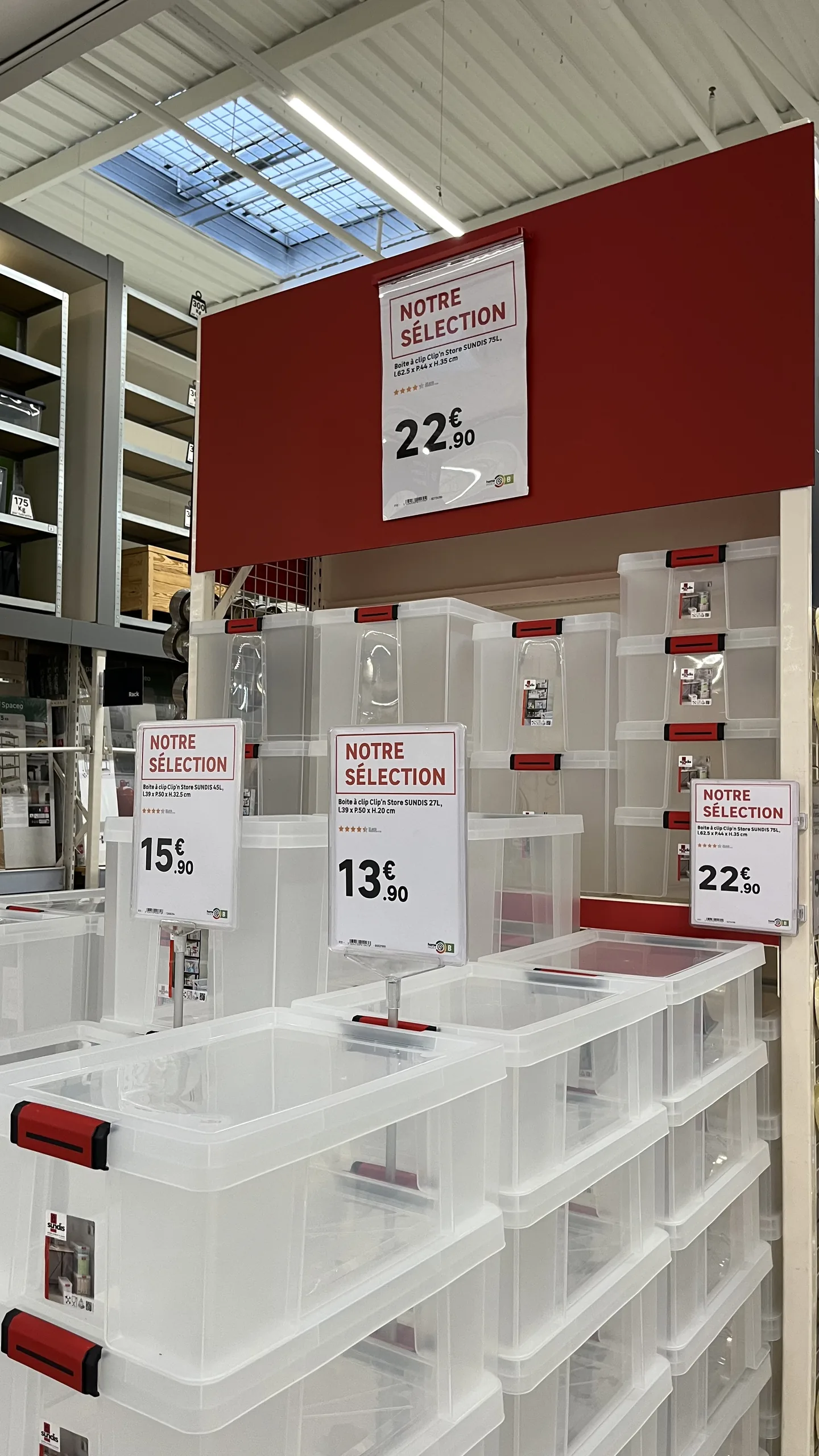
What is the difference between POS and POP?POS (point-of-sale advertising) includes materials that grab attention and encourage purchases, such as promotional posters, hanging banners, and shelf talkers. POP (point-of-sale information) includes materials that inform and guide the customer, such as prices, product specifications, services, and store hours. In-store, the two are often combined on the same display, and their effectiveness depends primarily on the accuracy of the information displayed and its consistency across the entire network.
Promotional posters, labels, shelf talkers, and hanging banners: a store has thousands of materials that speak to the customer on its behalf. These are what signal a promotion, explain a product, provide price reassurance, or highlight a service.
When well-designed, they sell. When poorly designed, outdated, or incorrect, they go unnoticed or even drive customers away. Here is how to distinguish between POS and POP, which materials to use, what makes POS truly effective, and how to consistently deploy a campaign across an entire retail network.
POS and POP: What are we talking about?
POS, or point-of-sale advertising,refers to all communication materials installed in a store to attract customer attention and trigger a purchase: promotional posters, hanging banners, banners, shelf talkers, and end-cap displays. It most often accompanies a sales event, a product launch, or a key promotional period.
POP, or point-of-sale information,includes materials that inform and guide: price tags, product sheets, technical specifications, mandatory disclosures, aisle signage, financing terms, services, and store hours.
In practice, the line is blurred. A promotional poster carries both a call-to-action message (POS) and a price, description, and mandatory disclosures (POP). This is why retailers are increasingly managing them together, using the same data and the same brand guidelines.
The main types of POS and POP materials
Names vary from one retailer to another, but the same major categories of signage are found everywhere.
Added to these are posters specific to each retailer: an in-store workshop, opening hours, or a demonstration area. As for formats, there is no exhaustive list: from small shelf-edge labels to strips, from A6 to A2, all the way up to large tarpaulins and hanging banners.
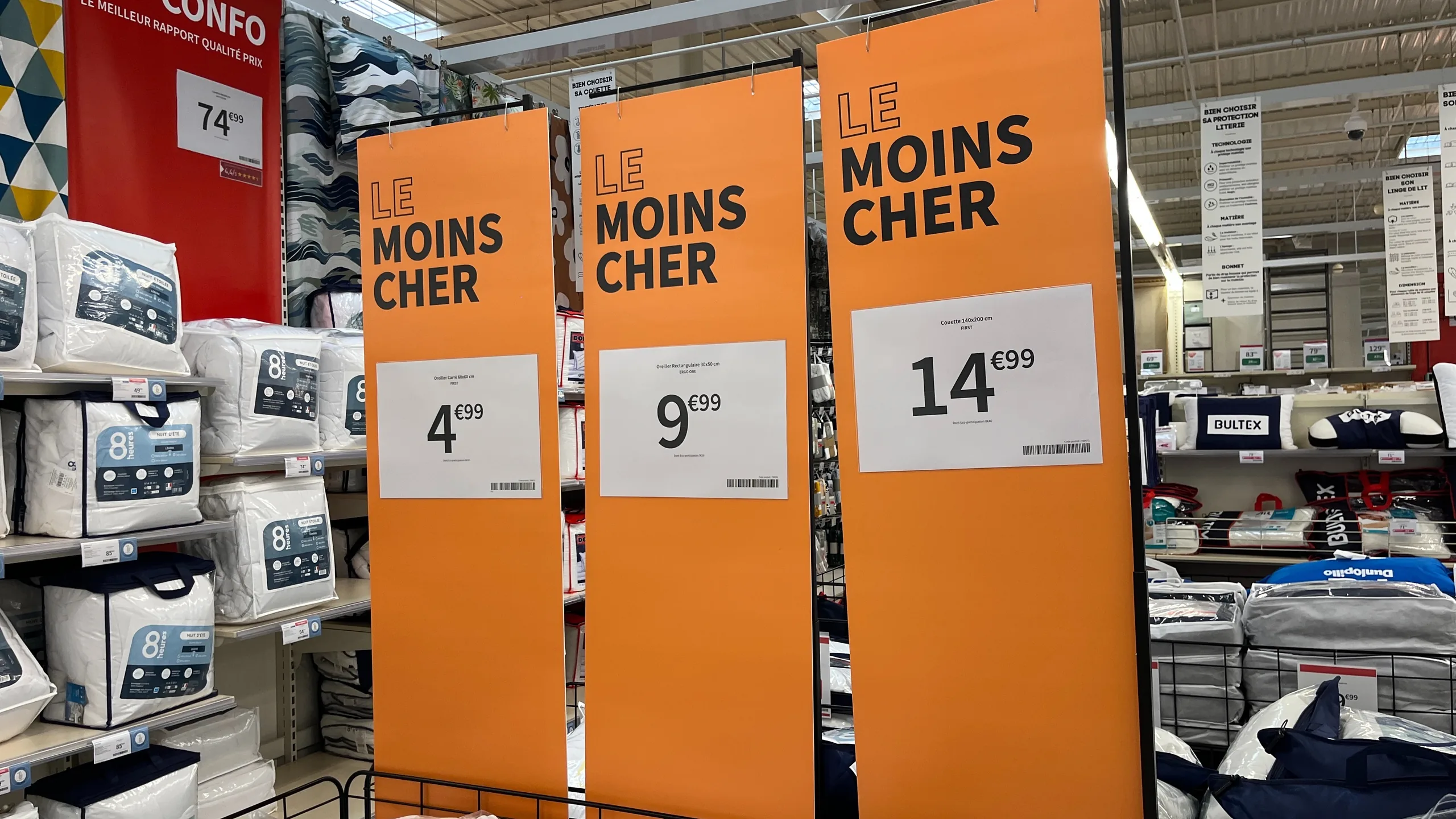
What makes POS effective: a shelf that sells itself
Effective POS is not necessarily the most spectacular. It is the kind that allows the customer to understand the offer and make a choice without needing a salesperson. Olivier Personne, Director of Concept, Merchandising, and Sales at Leroy Merlin France, summarizes it this way:
"The best salesperson in the store isn't Thomas. It's the shelf. In other words, the shelf must be self-selling, and the signage we place on it, beyond just the product price, must enable the customer to be autonomous."
In practical terms, this comes down to three requirements:
- Empower the customer. The signage answers the questions customers have while looking at a product, without them needing to wait for a salesperson. Frédéric, a department manager at the Leroy Merlin store in Lesquin, calls it a "silent salesperson": "a sales aid that helps answer some of the customers' questions directly through the display."
- Differentiate comparable products. When faced with three drills or four vacuum cleaners, a few well-chosen and prioritized criteria are enough to guide the choice. For Olivier Personne, effective signage "allows you to differentiate one product from another directly on the shelf using just a few criteria."
- Display the most useful information, and only that. A cluttered sign won't be read. Clarity in your offering comes from choosing the right features, defined once for an entire product category.
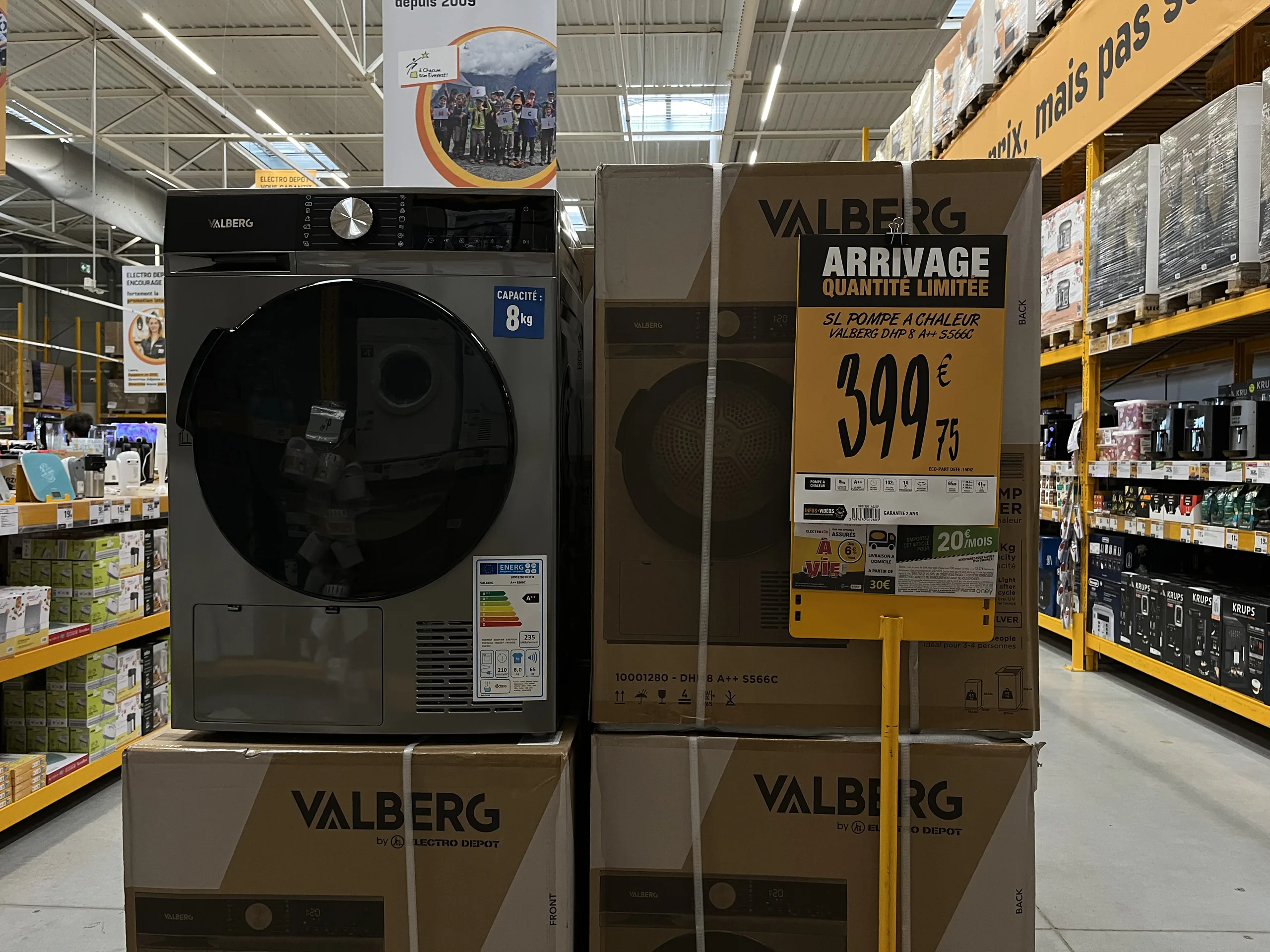
Why so many materials go unnoticed or hinder sales
POS materials rarely fail because of their design. They fail because they arrive too late, in the wrong format, or with incorrect information. The most common causes:
- A sign designed at headquarters that arrives after the promotion has started, or in a format that doesn't fit the store's layout.
- A sign recreated in-store using an office template, which respects neither the brand guidelines nor the reference data: units of measurement different from those chosen by headquarters, spelling errors, or unauthorized photos.
- A price that is no longer up to date, or worse, a promotional price that is higher than the original price.
- Materials that contradict each other from one location to another, between the sign, the shelf label, and the checkout.
In all these cases, the problem isn't creativity. It's the production chain for the materials.
Deploying a POS campaign across an entire network
In a network of dozens or hundreds of stores, the same campaign must arrive everywhere, at the right time, in the right formats, and with the right prices. The method that works is to link the production of materials to the brand's central systems, which already contain the prices, products, and commercial operations.
With a platform like PiiVO POSter, connected to these systems, a campaign is deployed in two ways:
- Store-initiated. The sales associate selects their department or products, and the sign is generated with the current campaign's branding and information, without needing to re-enter anything.
- Automatically. As soon as a new campaign is detected in the central systems, all corresponding signs are generated and sent for printing in the relevant stores.
This is how retailers manage their major events—sales, Black Friday, Christmas, or back-to-school—as well as less visible needs, such as a store opening, where all signage must be produced at once, or regulatory changes. On January 2, 2026, two client retailers reprinted signs for all their stores to include a new notice related to WEEE (Waste Electrical and Electronic Equipment). For managing peak activity, see our article on signage during sales and Black Friday.
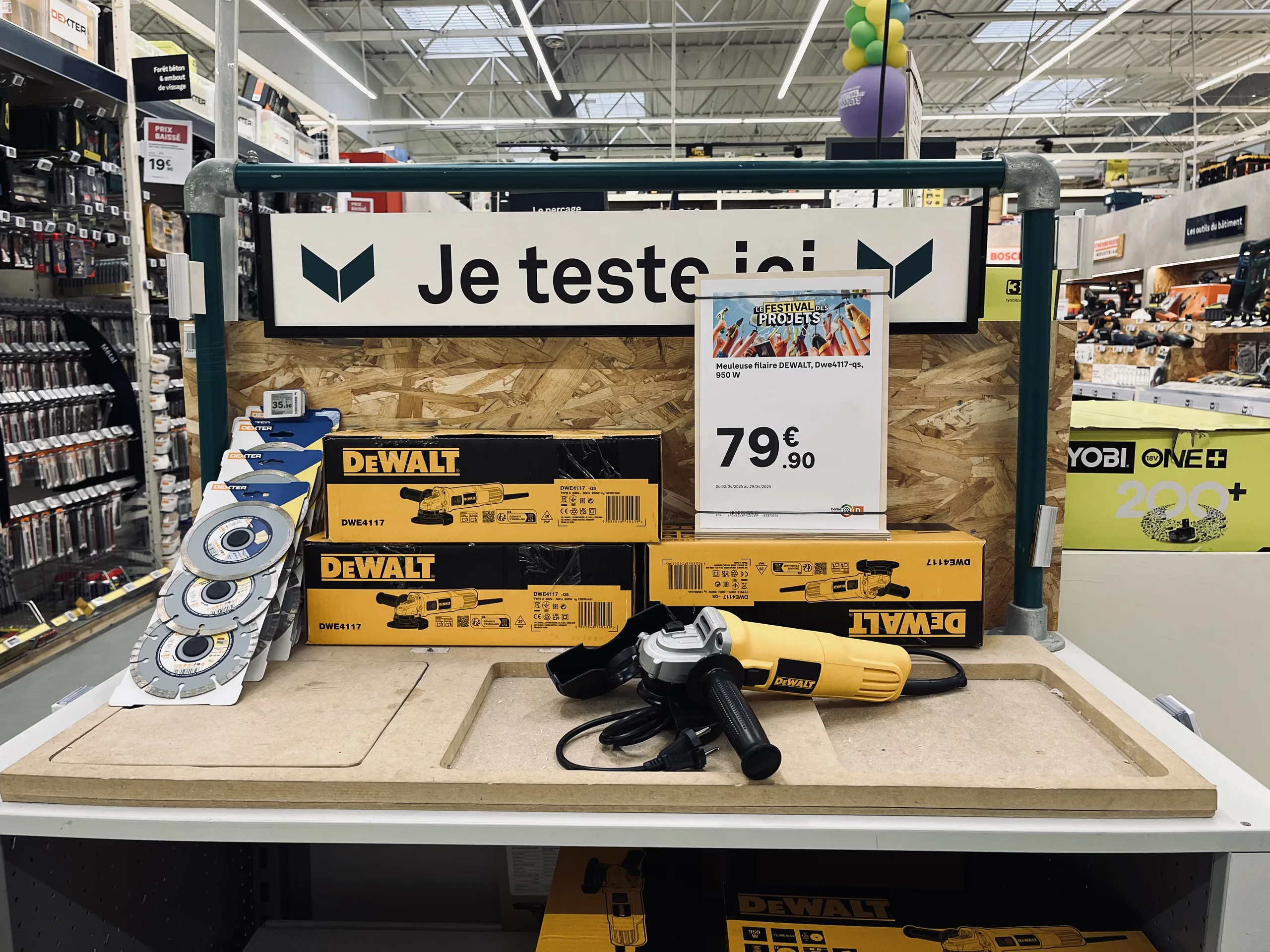
Paper POS, automated POS: the same medium, a different method
Automating POS does not mean abandoning paper or making every store identical. Sign templates are defined once by the marketing or merchandising team, adapted into all necessary formats, and then automatically populated with the retailer's data. Each store retains control over what should remain local, such as the choice of products to highlight or the format best suited to its layout.
To learn more about the principle, see our article on how toautomate price label creation, and for a specific location, our guide to end-cap displays.
How to make your promotional materials a success: the checklist
- Distinguish the role of each medium : attract (POS) or inform (shelf-talkers), and don't expect one to do everything.
- Choose useful information by product category, to help the customer compare.
- Ensure data accuracy : prices, mandatory information, and product features, sourced directly from the retailer's systems.
- Adhere to a shared brand identity, defined by headquarters and applied automatically.
- Adapt formats for each store, based on its specific location.
- Anticipate peak periods and regulatory changes, to enable fast, widespread reprinting.
In summary
POS and store signage together form the voice of the store: one attracts, the other informs, and the best materials do both. Their effectiveness depends less on their design than on their accuracy, clarity, and consistency.
At the network level, this requires a structured approach: templates defined by headquarters, materials populated with the retailer's data, and a production process capable of keeping pace with every peak period, price change, and regulatory update across all stores.
Endcaps: how to turn them into a real sales driver
As one of the most visible spots in the store, an end-cap only sells if its signage is clear and accurate. Definition, materials, message hierarchy, compliant strike-through pricing, and ensuring consistency across an entire network.
00
min read
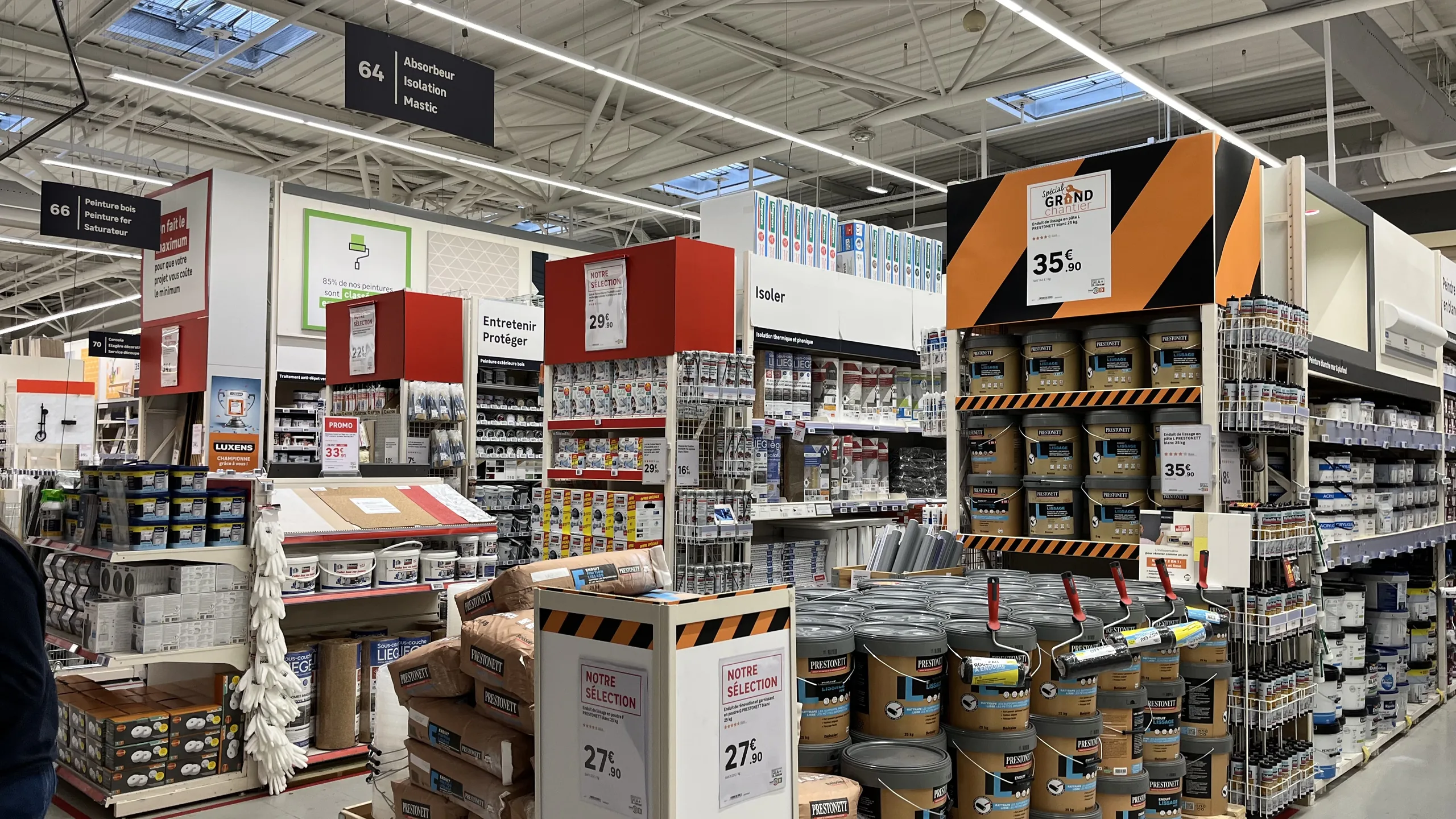
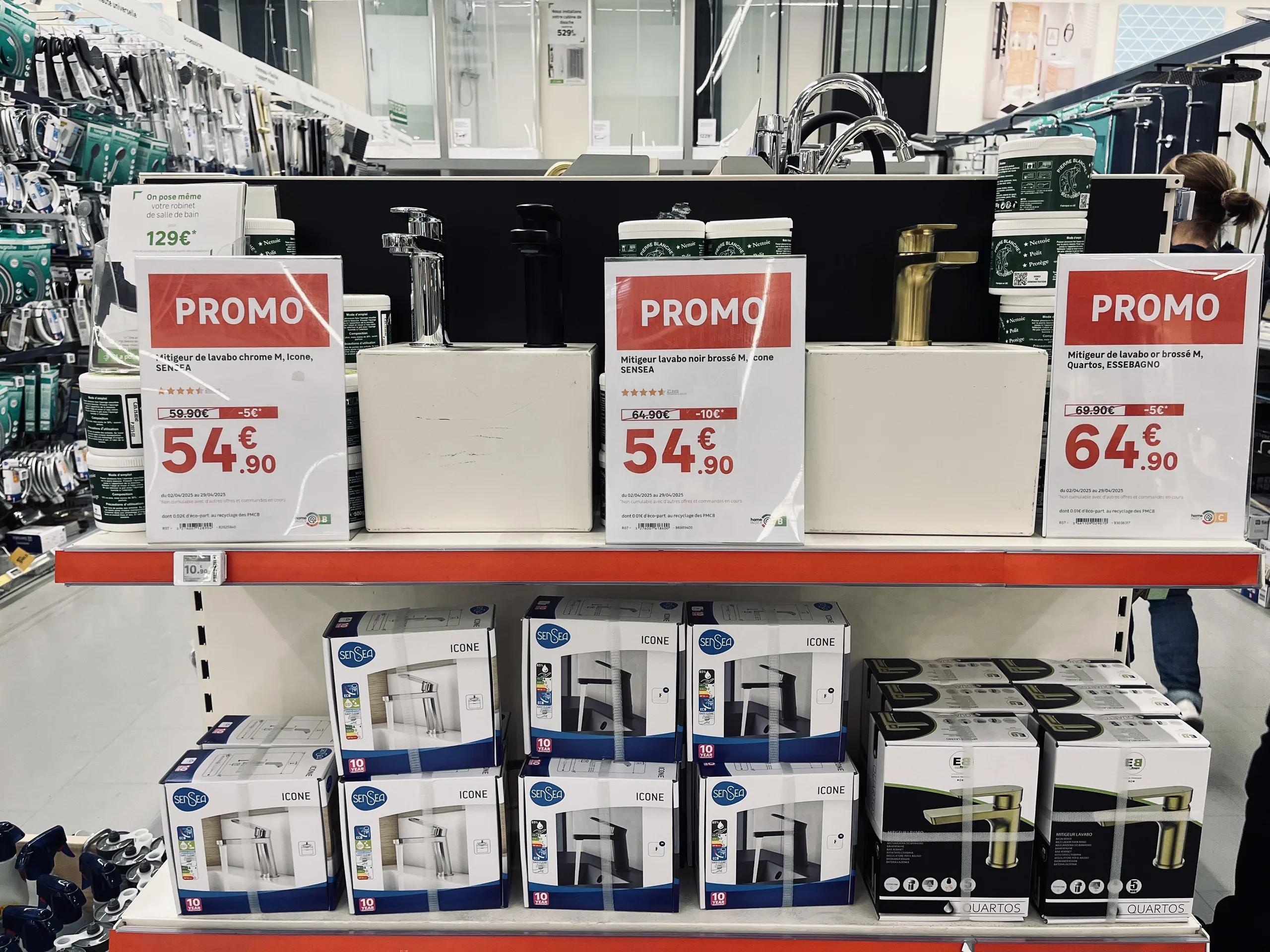
What is an end-cap display?An end-cap is the end of a shelving unit (the gondola) placed facing the store's main aisle. It is one of the most visible locations in the retail space: it is used to highlight promotions, new arrivals, or seasonal products. An effective end-cap makes it clear at a glance what is being featured and why, using a hierarchical display and the right price.
In a large retail store, few locations are as coveted as the end-cap. Customers pass by them as they move through the main aisle, and the products displayed there enjoy a level of visibility that the rest of the aisle cannot offer.
However, not all end-caps drive sales. Some catch the eye and trigger a purchase; others simply pile up products under contradictory signs. The difference rarely lies in the furniture itself. It mainly comes down to the signage: what it says, how it prioritizes information, and whether the price it advertises is correct.
What is an end-cap display?
A gondola is the shelving unit that forms the aisles of a store. Its end is the extremity that faces the main aisle, perpendicular to the shelving run. It is thus distinct from the aisle end, located at the end of the aisle, and the standard shelving, where products are arranged along the shelves.
The expression "end-cap" has even entered common parlance to refer to anything highlighted or in the foreground. In-store, the location is primarily used to:
- Highlight a sales campaign : promotions, low prices, catalogs, or sales.
- Launch a new product or an exclusive item.
- Support a seasonal event : back-to-school, gardening, holidays, or heating.
- Create a display that brings several products together around a single use.
What distinguishes an effective endcap from an unsuccessful one
An effective endcap makes it clear at a glance what is being highlighted and why. The signage must catch the eye from the aisle, then allow the customer to identify the products and their prices without hesitation.
A highly visible promotional price, potentially accompanied by a strikethrough price when the promotion justifies it, can be very effective. But if every product, every price, and every message tries to grab attention equally, the whole display becomes difficult to read. The customer no longer knows where to look and simply walks on by.
An endcap also loses its effectiveness when:
- The materials contradict each other : a sign announces a discount, but the product label shows a different price.
- A price is outdated : the promotion has changed, but the sign remains.
- Materials are cluttered without a clear theme : signs for different promotions, mismatched formats, or inconsistent branding.
The golden rule: prioritize your signage
A readable endcap works like a magazine page: a headline, then the details. A large sign presents the promotion or a theme that brings several products together; smaller signs provide information specific to each item (name, features, price).
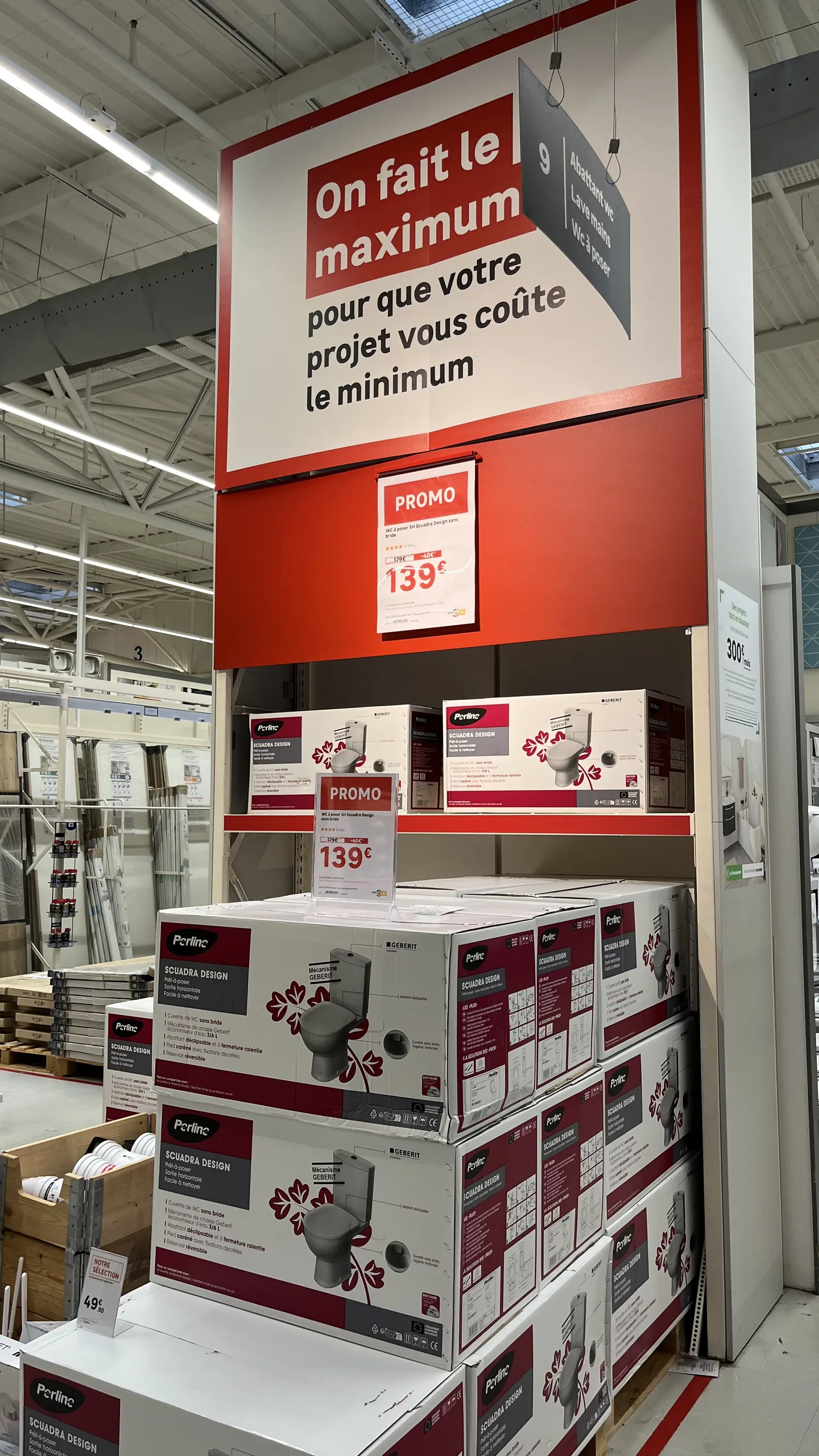
This hierarchy is not just a matter of graphic design. Marketing, merchandising, purchasing, and store teams must share the same logic: what is the main message, which products are being highlighted, and which medium carries which information. Without this common logic, everyone adds their own sign, and the endcap becomes a patchwork.
Endcap display materials
Terminology varies significantly from one retailer to another: the same material may be called a header, a banner, or a sign depending on the network. Here are the main materials found on and around an endcap.
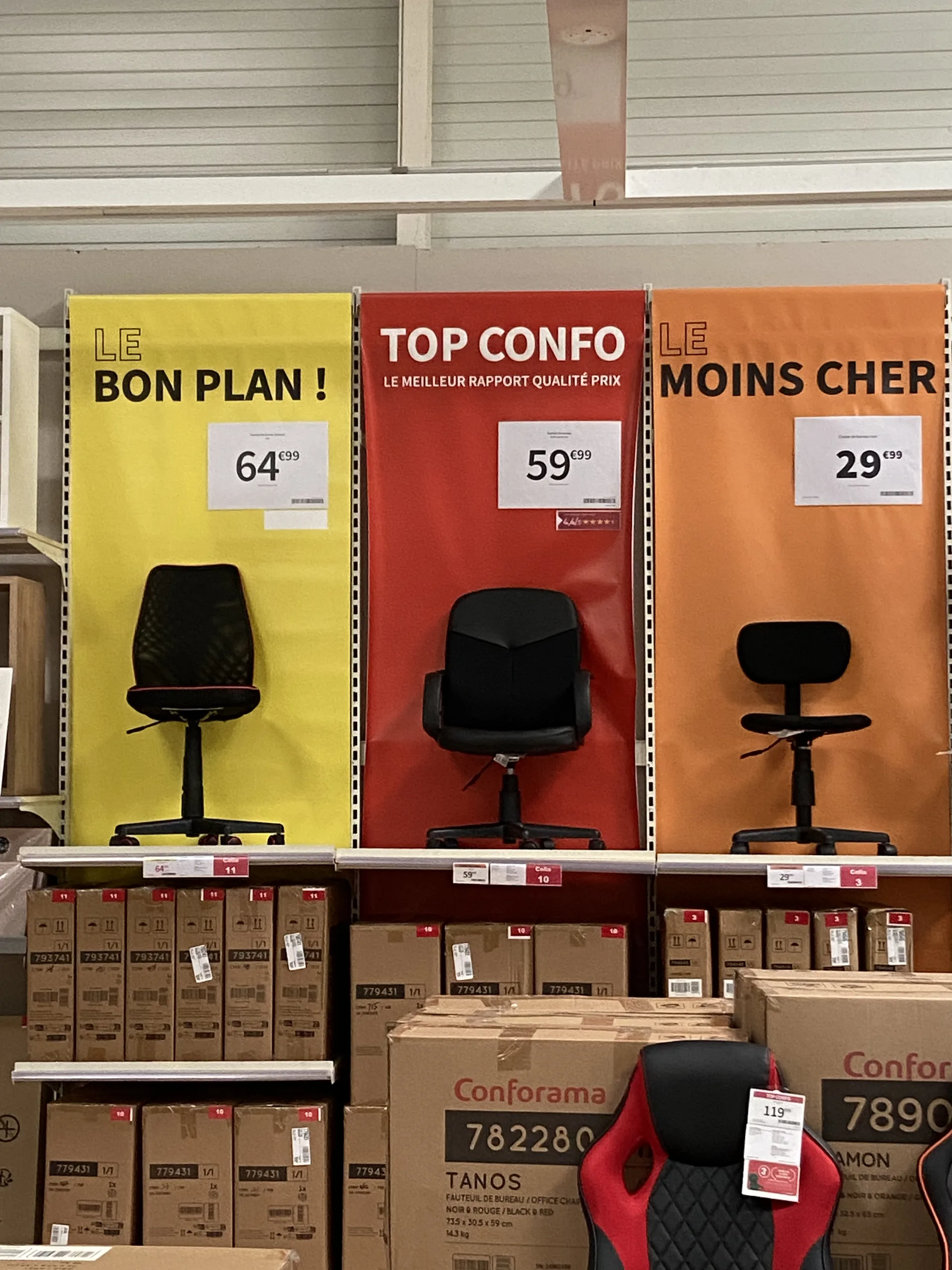
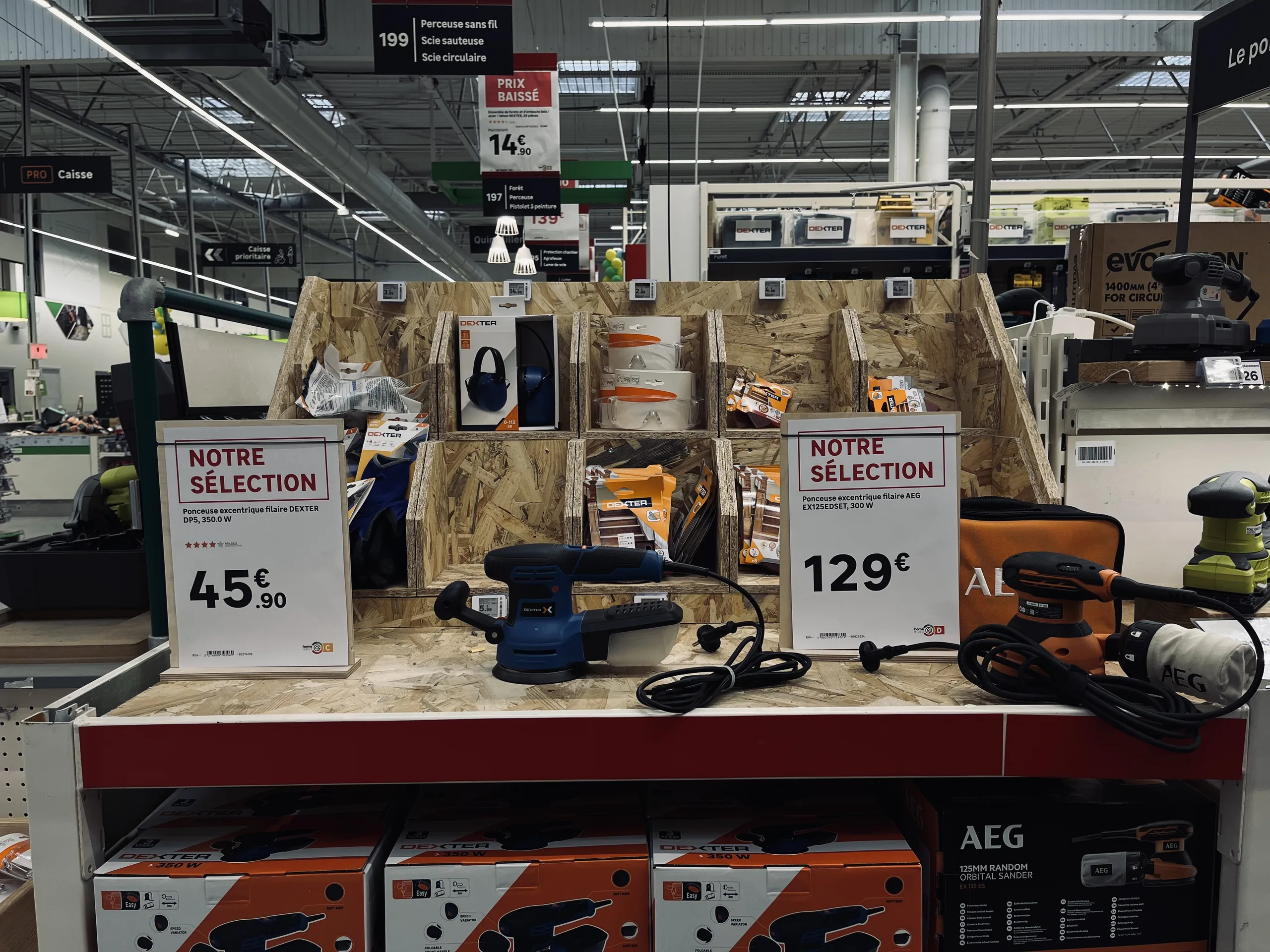
Other materials often complement the display: small poster, product label, shelf edge strip or shelf talker, endcap back panel, endcap base wrap, aisle flag, advice card, product sales sheet, promotional sticker, floor decal or pallet skirt for products displayed on pallets.
Price: the information you can't afford to miss
In such a high-visibility location, graphic consistency matters, but the accuracy of the displayed price matters just as much. An incorrect price on an endcap is seen by every customer walking down the aisle, creating an immediate discrepancy at checkout.
Strikethrough pricing requires special attention. Under the European "Omnibus" Directive, any price reduction announcement must indicate the prior price, meaning the lowest price charged during the 30 days preceding the reduction (Article L112-1-1 of the French Consumer Code). A promotional endcap sign must therefore be based on a reliable price history, not on manually re-entered figures. To learn more, see our article on the most common in-store pricing errors.
Maintaining a consistent campaign across an entire network
In a retail chain, the challenge scales up: the same campaign must be rolled out across dozens or hundreds of locations, where endcaps vary in both size and layout.
The successful method relies on a clear division of roles:
- Headquarters defines the framework : the products or campaigns involved, the messaging, the graphic guidelines, and the display templates.
- The store adapts to its layout : the staff selects the specific items being featured and chooses the appropriate formats for each product based on the available endcap space.
- Data powers the materials : prices, product information, and campaign terms are pulled directly from the retailer's systems, with no manual re-entry.
- Price changes are flagged : when a price changes, the team is alerted and can immediately produce an updated display.
This is how a platform like PiiVO POSter : promotional products and their corresponding templates are made available to stores, which then assemble their end-cap displays within a shared framework. The displays maintain a consistent brand identity everywhere, while still accounting for differences between individual stores. Naturally, the installation and monitoring of shelf materials remain part of the store's operational workflow.
Large formats: print in-store or at the printer
End-cap display materials range from small labels to large banners. They are not all produced in the same way:
- In-store, using a printer for small and medium formats, or on plotter for large posters.
- At a print shop, for very large formats or specific media (banners, signage). The file must then comply with their specifications: dimensions, bleeds, crop marks, black overprint, vector graphics, and color profile.
A signage creation platform can automatically prepare these files with the required prepress settings, using the same data and templates as for smaller formats. There is no mandatory "end-cap" format: any media whose content can be populated by the brand's data and styled according to its graphic guidelines can be automated. To understand the principle, see our article on how toautomate price label creation.
How to create an effective end-cap: the checklist
- A single main message, readable from the aisle.
- A clear hierarchy : large signage for the promotion, smaller signage for each product.
- A visible and accurate price, with a compliant strikethrough price when the promotion warrants it.
- Consistent signage : same promotion, same brand guidelines, no expired posters.
- Products selected based on the actual layout of the store, and formats adapted to the available space.
- Quick updates as soon as a price or promotion changes.
In summary
The end-cap is one of the most visible locations in the store, and therefore one where signage has the most impact. To turn it into a real sales driver, you need a clear main message, a hierarchy between the different signs, and a price that is accurate, compliant, and consistent with the point of sale.
In a retail network, this requirement is managed at the level of each promotion: a common framework defined by headquarters, adaptation by each store, and signage populated by data rather than re-entered by hand.
Electronic vs. paper labels: how to choose for your stores
Electronic or paper labels? The debate is often framed as an all-or-nothing choice. Here is a comparison of the real advantages of each medium, and why the right choice is made format by format, without sacrificing automation or data reliability.
00
min read
Do you have to choose between electronic and paper labels?Not for the entire store at once. The right choice is made format by format: electronic labels are ideal for standard pricing on small shelf-edge formats, while paper remains better suited for large formats, promotions, product information sheets, and wet or outdoor areas. This choice of medium should not affect the quality of the display: with a platform connected to the retailer's data, paper benefits from the same automation, visual identity, and data reliability as electronic labels.
When a retailer considers electronic labels, the debate is often framed in all-or-nothing terms. On one side, electronics, synonymous with streamlined processes and reliable data. On the other, paper, associated with errors, delays, and makeshift signage.
This opposition is largely based on a misconception. The quality of a display is not determined by the medium, but by how it is produced. Here is how to compare the two and how to choose without giving up the benefits of either.
Electronic labels vs. paper labels: what are we talking about?
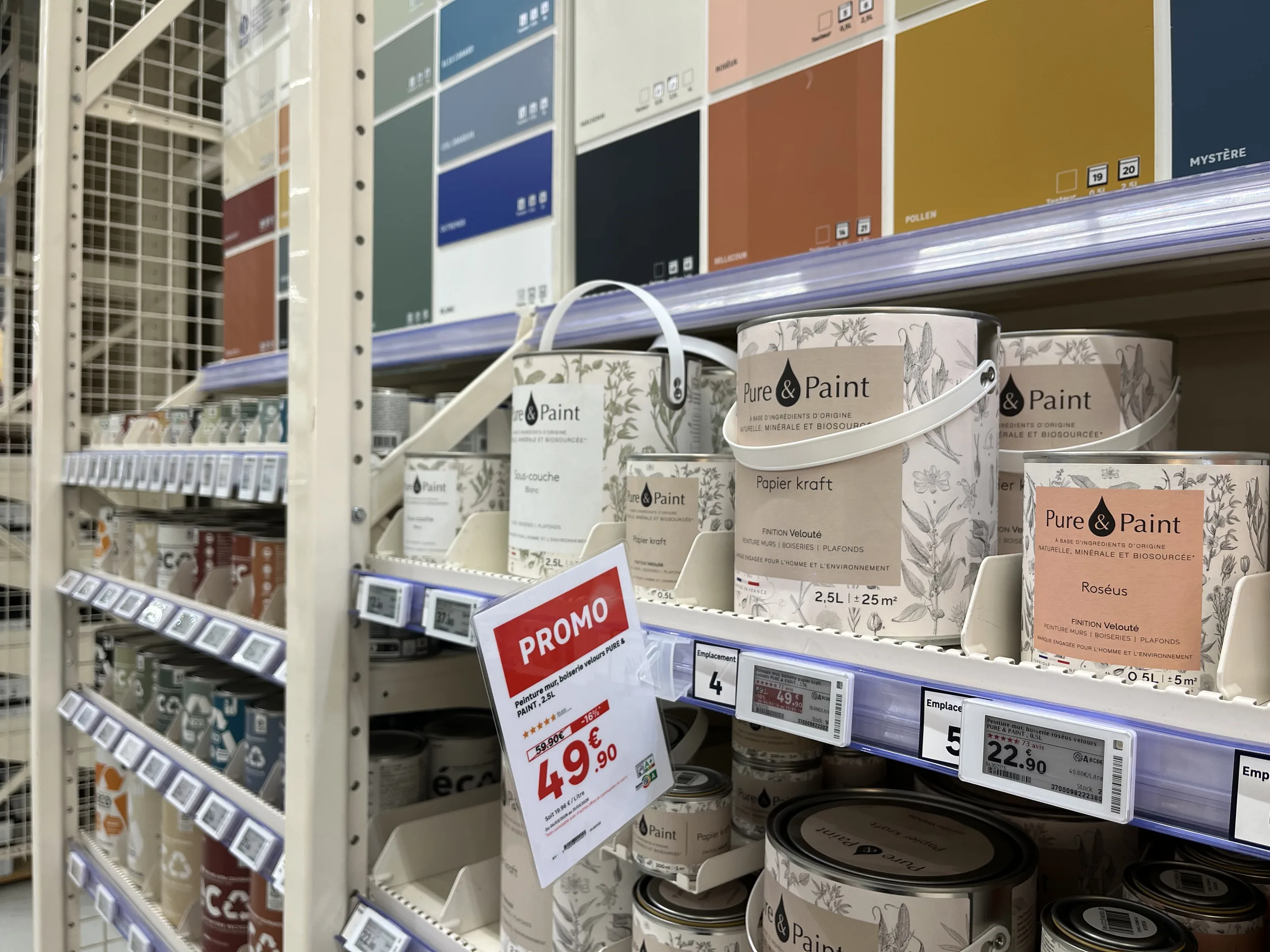
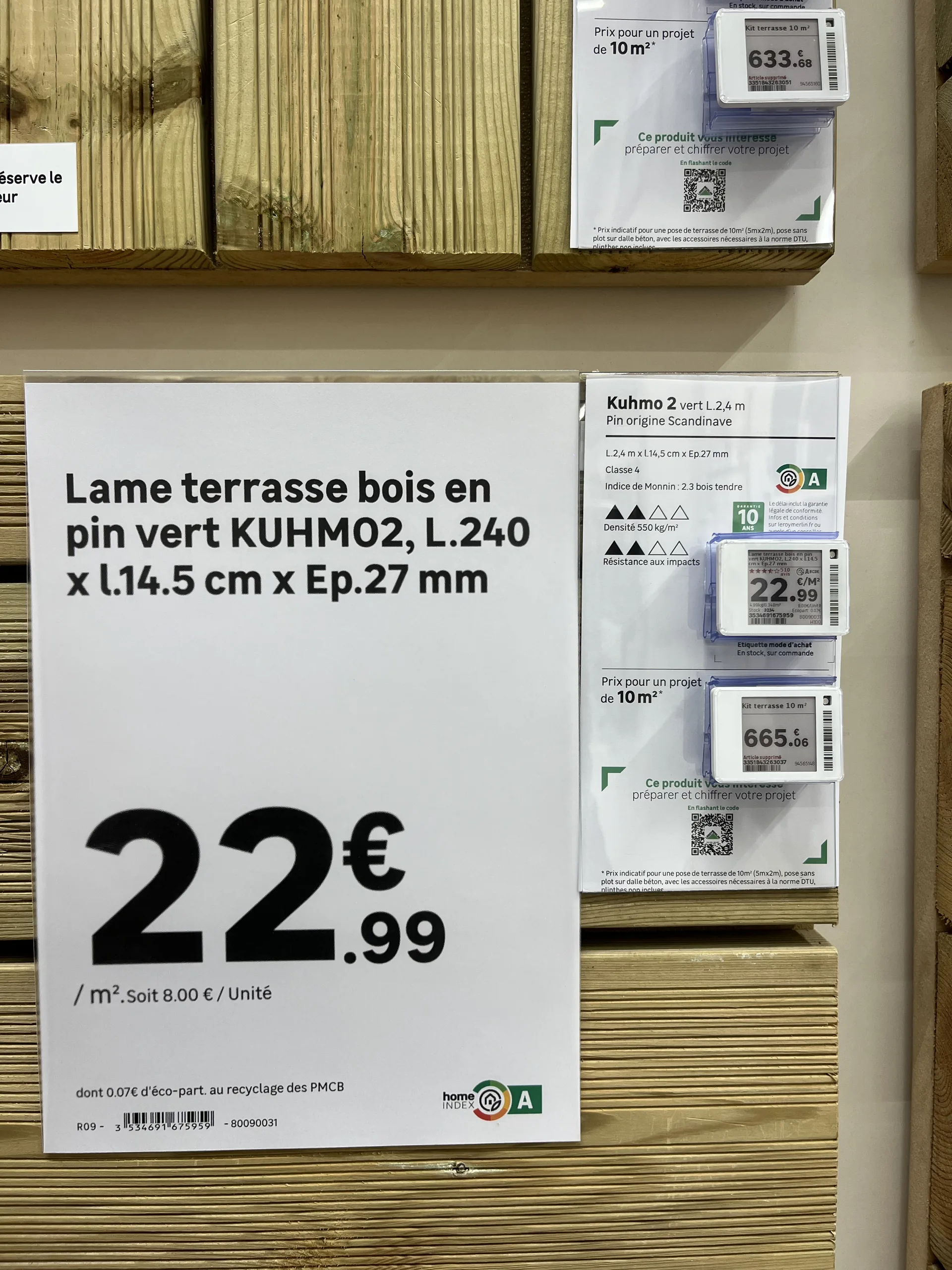
Electronic shelf labels, often called ESL (for electronic shelf label) internationally, are small screens attached to the shelf edge. Most often using e-ink, they display the price and some product information, receiving updates remotely from the retailer's systems.
Paper signage includes all printed materials: shelf labels, promotional posters, technical sheets, strips, and end-cap or aisle-back signage. It is printed at headquarters, by a print shop, or directly in-store, and then placed by staff.
The false dilemma: the assumption that paper is synonymous with disorder
The negative image of paper stems from how it is often produced. In many stores, signs are created without tools connected to the data:
- By a graphic designer at headquarters. The result is polished, but the sign arrives late and struggles to keep up with last-minute price changes.
- By a store associate, using an office template. The sign is reactive, but the visual identity is not respected, prices or features are re-entered manually, and errors and typos multiply.
- With a creation tool that is not connected to the retailer's data. The layout is improving, but manual re-entry—and the associated risk of error—remains.
Faced with this situation, electronic shelf labels are often presented as the only way to automate: data pulled from the source, brand guidelines followed, and time saved for teams. The implicit message is simple: to get out of the mess, you have to ditch paper.
That is where the misunderstanding lies. The benefits attributed to electronic labels do not come from the screen itself. They come from the connection to data and the automation of creation. A paper sign generated automatically from an ERP and PIM, using templates that comply with brand guidelines, offers the same reliability.
A side-by-side comparison, criterion by criterion
No single medium wins on every criterion. The choice depends on the location, format, and usage.
What electronic labels really bring to the table
The distinct advantage of electronic labels is clear: when a price changes, there are no more labels to print or place. Updates happen remotely in seconds across all relevant labels. On shelves where prices change frequently, this gain in time and responsiveness is real.
However, it must be measured precisely. The initial shelf placement remains manual: each label must be installed and associated with the correct product, just like a paper label. And the investment (labels, communication infrastructure, integration) is not always justified by this gain alone, especially in aisles where prices rarely change.
Where paper remains the best choice
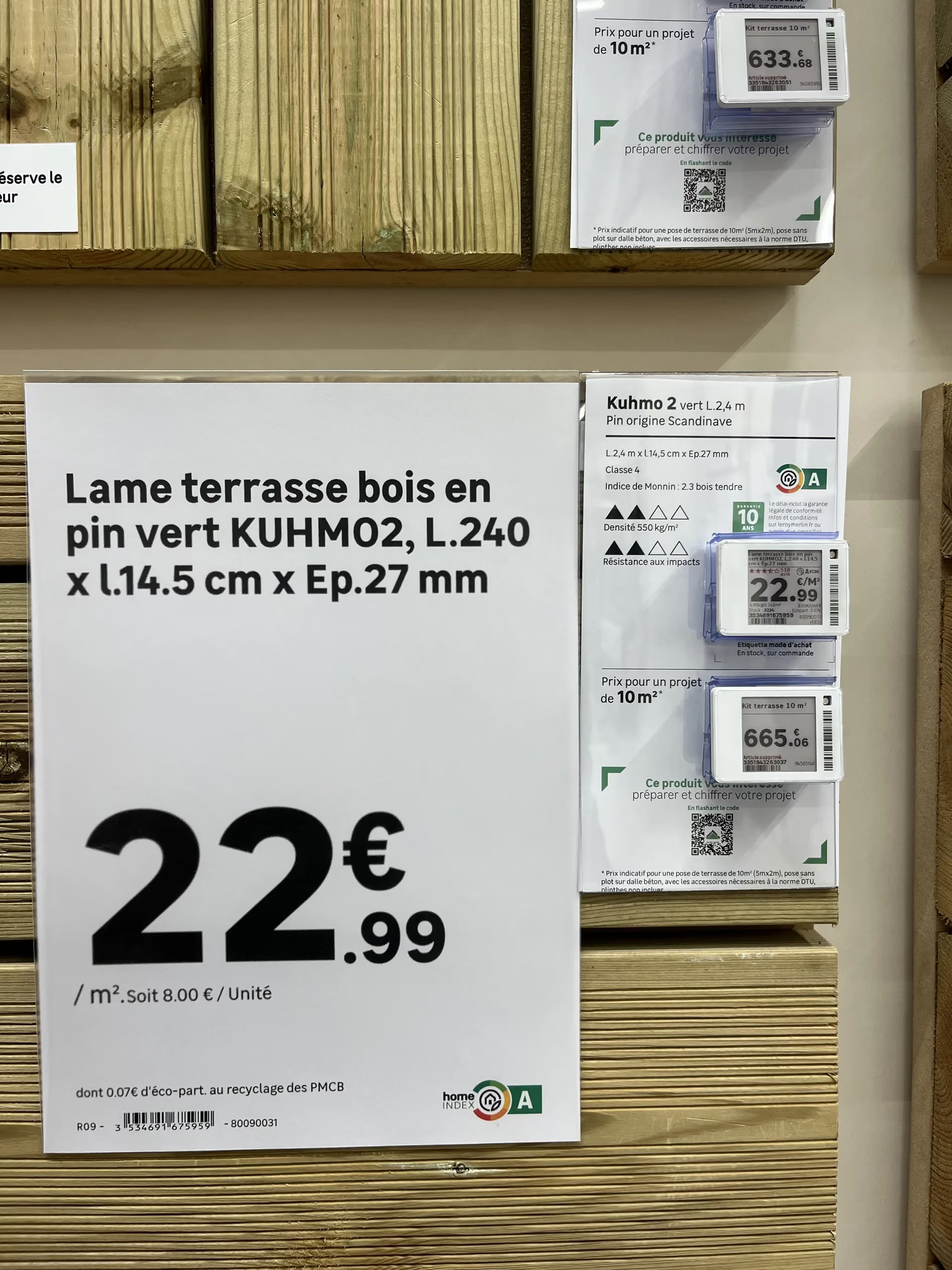
Large formats. As soon as the medium exceeds the size of a small shelf-edge label (A5, A4, A3, A2, large strips), electronic equivalents become very expensive at scale. For promotional signs and aisle signage, paper remains by far the most accessible solution.
Humid or outdoor environments. Garden centers, lumber yards, and areas exposed to the elements: electronic labels are difficult to install and maintain there. Paper, on a suitable holder, is much better suited for these conditions.
Detailed information. Technical specifications, icons, photos, and regulatory information like eco-participation fees or repairability scores: an electronic label screen cannot display everything. A paper sheet can.
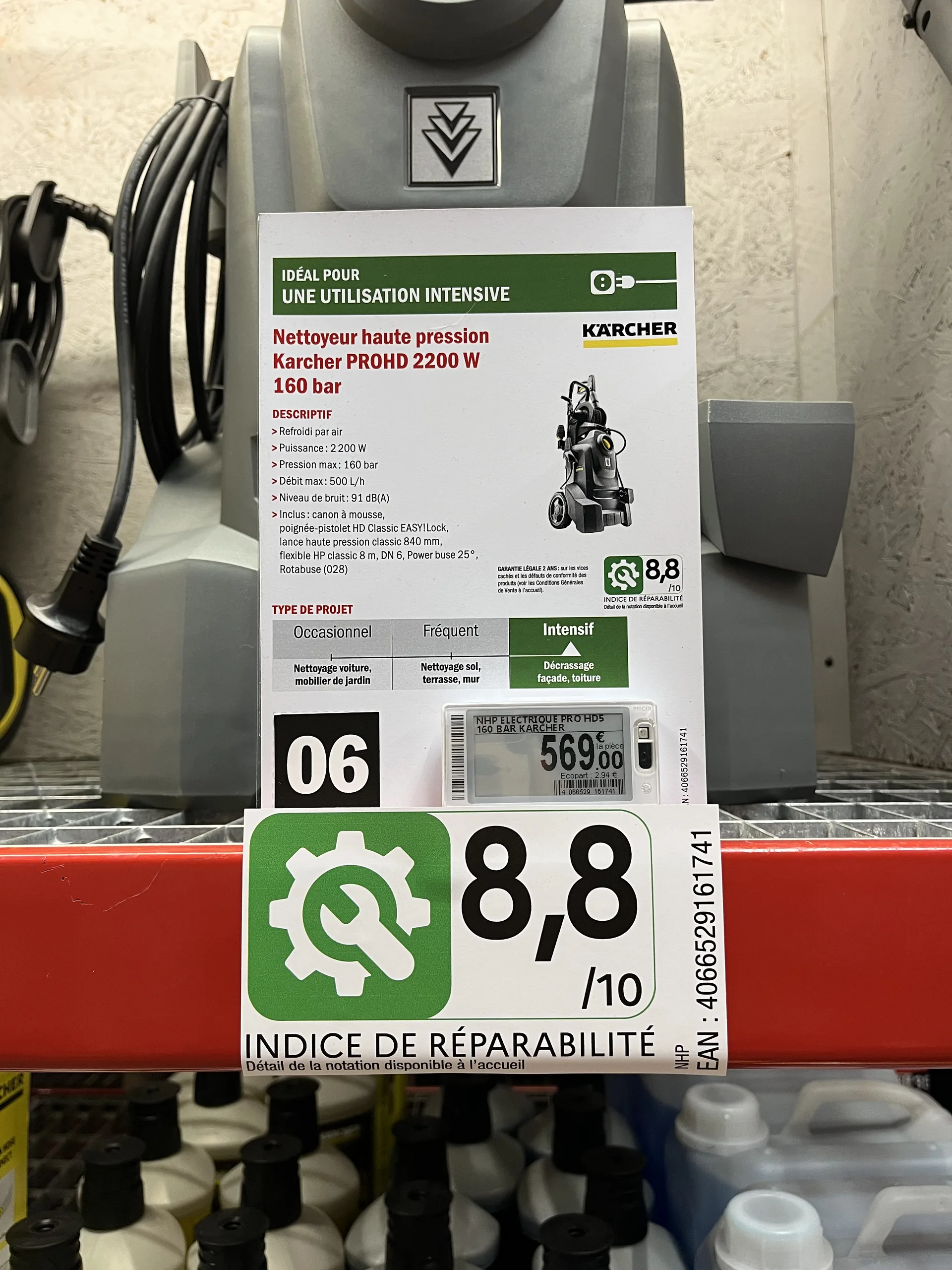
Visibility. A promotional sign is seen from a distance and triggers a purchase. A shelf-edge label is read up close.
Choose format by format, not store by store
Rather than a total overhaul, the right approach is to decide on a case-by-case basis, depending on:
- Product placement : shelf edge, end cap, aisle, outdoor.
- Store type : supermarket, convenience store, garden center, building supply store.
- Format : small price tag, shelf strip, A4 or A3 poster, large format.
- The choice of the store itself, especially in a franchise network: some stores prefer to invest in electronics, while others want to maximize the return on their existing printer fleet.
This is what most retailers supported by PiiVO do in the home improvement, furniture, and appliance sectors: electronic shelf labels for some shelves, paper for promotions, large formats, and technical products, often within the same aisle.
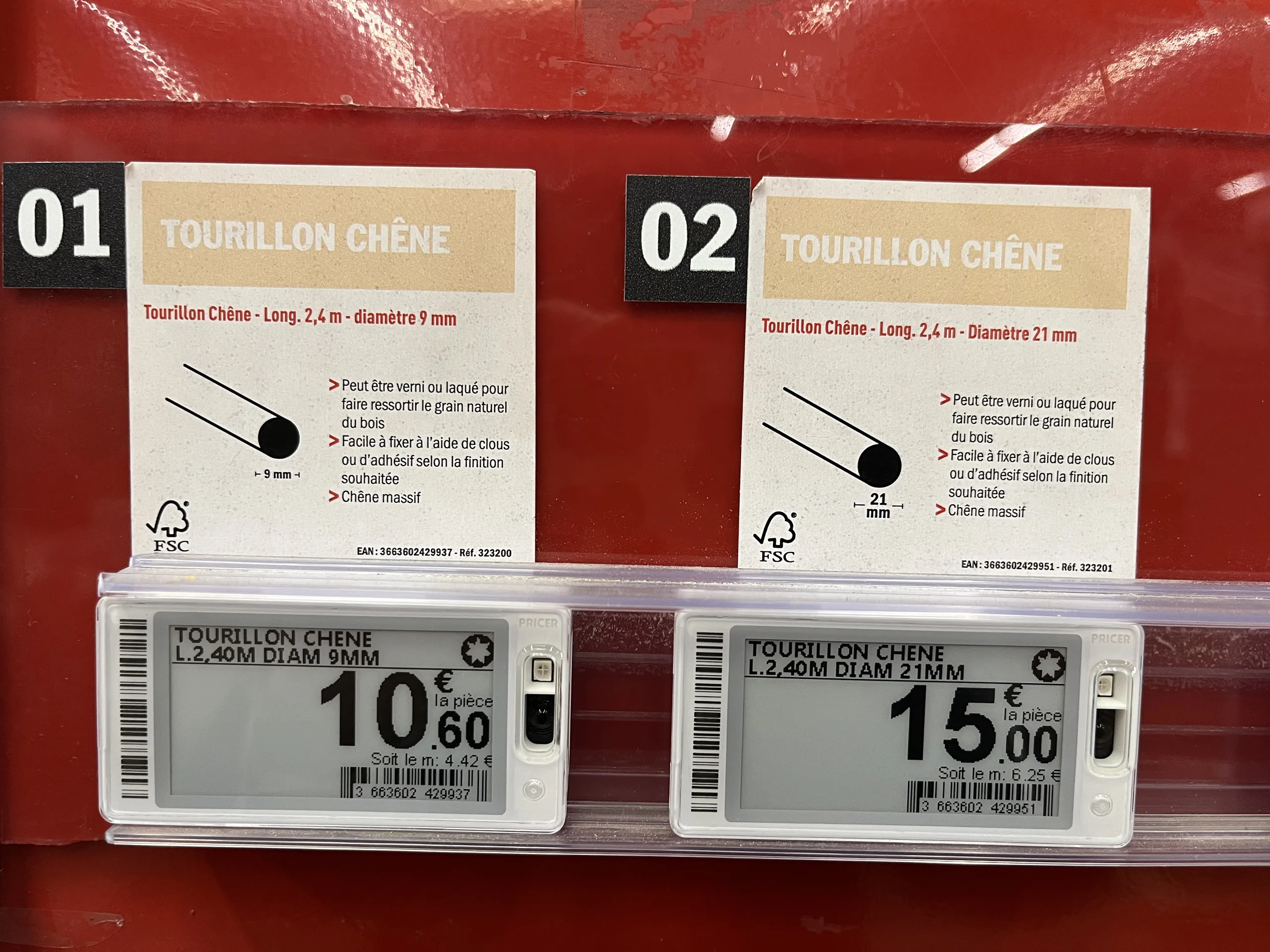
Maintaining the same benefits, regardless of the medium
To ensure this remains a simple choice of medium rather than a change in method, both must be managed in the same way. This is the principle behind a hybrid signage creation platform like PiiVO POSter :
- The same data : prices from the ERP, specifications from the PIM, and visuals from the DAM, for both paper and electronic formats.
- The same brand identity : templates defined at headquarters and applied automatically, regardless of the format.
- The same time savings : automatic or bulk creation, without re-entry, with direct in-store printing.
PiiVO is software: it sells neither electronic shelf labels nor printers, and works with the hardware chosen by the retailer. Several retailers fully equipped with paper have been able to automate their signage without committing to the investment of an electronic fleet, while keeping the option to switch to electronic where it makes sense.
Conversely, PiiVO can also feed electronic shelf labels directly. A home improvement retailer has been using this hybrid connection since 2026, with a gradual rollout underway in its stores: a single platform manages both paper signage and electronic labels. To learn more, see our article on how toautomate price label creation.
How to choose for your stores: 5 questions to ask yourself
- How often do your prices change, aisle by aisle? Electronic labels are primarily justified where prices change frequently.
- What formats do you use? The larger the signage, the more paper retains the cost advantage.
- Do your stores have humid or outdoor areas? Garden centers and lumber yards are still better served by paper.
- Do all your stores have the same needs? In a franchise network, each store can make a different choice.
- Is your paper signage already connected to your data? If not, that is the first priority: it provides a large portion of the expected benefits of electronic labels without changing the medium.
In summary
Electronic and paper labels are not mutually exclusive. Electronic labels provide remote price updates; paper retains the advantage for large formats, promotions, detailed information, and harsh environments. The choice is made format by format, depending on the location, store type, and the preference of each point of sale.
The most important thing lies elsewhere: it is the connection to data and automation that determine the quality of signage, not the medium. With a platform that manages both, the choice between paper and electronic becomes a tactical decision, not a process revolution.
Store and e-commerce: how to avoid product and price inconsistencies
Customers compare shelf prices with website prices, phone in hand. Discover the origins of product and price inconsistencies between retail stores and e-commerce, and learn how to avoid them by feeding all your channels from a single source of data.
00
min read
How can you avoid price inconsistencies between your store and your e-commerce site? By ensuring that shelf labels and online product pages are generated from the same data sources: prices from the ERP, descriptions and specifications from the PIM, and visuals from the DAM. This eliminates manual re-entry between the two channels and triggers updates to in-store displays as soon as a price changes in the master system.
Before entering a store, most customers have already checked the brand's website. They know the price, the product reference, and sometimes even the in-store availability. Once they are standing in front of the product, they compare, phone in hand.
If the shelf label doesn't match the website, the customer doesn't assume it's a technical glitch. They assume the brand is mistaken, or worse, trying to deceive them. Here is where these inconsistencies come from and how to avoid them for good.
Why customers immediately notice inconsistencies
The shopping journey is no longer one-sided. Customers spot a product online and come to see it in-store, or discover a product on the shelf and check its price on the website. They order online and pick up in-store. To them, there is only one brand, and therefore, there should be only one price.
The e-commerce site has become the public showcase for product information. It serves as the customer's reference point. As soon as the shelf price deviates from it, the in-store display appears incorrect, even when the error originated elsewhere.
The consequences go beyond the individual transaction: a dispute at the checkout, a discount given to appease the customer, or a customer losing trust in other displayed prices. Across a retail network, these repeated discrepancies eventually undermine the brand's consistency.
The most common inconsistencies between stores and websites
Discrepancies between the shelf and the web almost always take one of these five forms.
The common thread in all these situations is that the information is correct somewhere in the brand's systems. It is the in-store display that fails to reflect it, or reflects it too late.
The common cause: two channels, two data streams
In many retail chains, the website and the store do not pull their information from the same place.
The e-commerce site generally reads its data directly from central systems: prices from the ERP, product sheets from the PIM, and images from the DAM. In-store displays, however, are often produced separately. This might involve a file exported the day before, a label template filled out by hand, or a description copied from a catalog.
These two circuits operate in parallel and eventually diverge. A price change during the day, an extended promotion, or a replaced product reference is all it takes for the site to be up to date while the shelf is not. Manual re-entry introduces its own errors: transposed digits, different units, or forgotten details.
Trying to fix these gaps by simply checking labels more often doesn't solve the problem. Both channels must read from the same data source.
The principle: a single source of truth for all channels
Consistency between physical stores and e-commerce relies on a simple rule: every piece of information is pulled from its authoritative system, and all channels—whether online or on the shelf—are fed by that same source.

From product data to print: how to automate label creation
Behind every price tag lies a chain of information that travels from head office systems to the store shelf. Discover how to connect your ERP, PIM, and DAM to your signage creation process to produce accurate labels in bulk and automatically push them to printers and electronic shelf labels.
00
min read
How can you automate the creation of in-store price labels and signs? By connecting your signage creation tool to your retail systems (ERP, PIM, DAM, POS, e-commerce site). Price, product name, specifications, and mandatory information are pulled directly from the source, the correct template is selected automatically, and the sign is sent to the printer or electronic shelf label—with no manual re-entry required.
A price tag seems simple. A price, a product name, a few details. Yet, behind every sign placed on a shelf, there is a chain of information that starts at head office and must reach the customer intact.
As long as this chain relies on manual re-entry, it will break regularly. Automation is precisely about eliminating these gaps: product data feeds the sign directly, from start to finish. Here is how it works in practice, step by step.
The real problem: information re-entered at every stage
In a manual workflow, product information is copied multiple times before it reaches the shelf. The price is defined in one system, the name in another, and the specifications in a third. In-store, a team member then pulls it all together to create the sign.
Every time information is copied, there is a risk of error: a transposed digit, a unit of measure that differs from head office guidelines, a missing mandatory notice, or a promotional price that is no longer valid. These discrepancies aren't due to a lack of diligence; they are inherent to the process itself.
The solution, therefore, is not to copy more carefully. It is to stop copying altogether.
Where does sign data come from?
A complete price sign draws on information from several retail systems. Connecting your signage tool to these sources allows you to pull each piece of data from its authoritative source.
The principle is always the same: each piece of information is read from its reference system and then automatically assembled onto the sign. This ensures the price on the shelf matches the price in the system, and the store presents the same offer as the website.
How data becomes a sign, in three steps
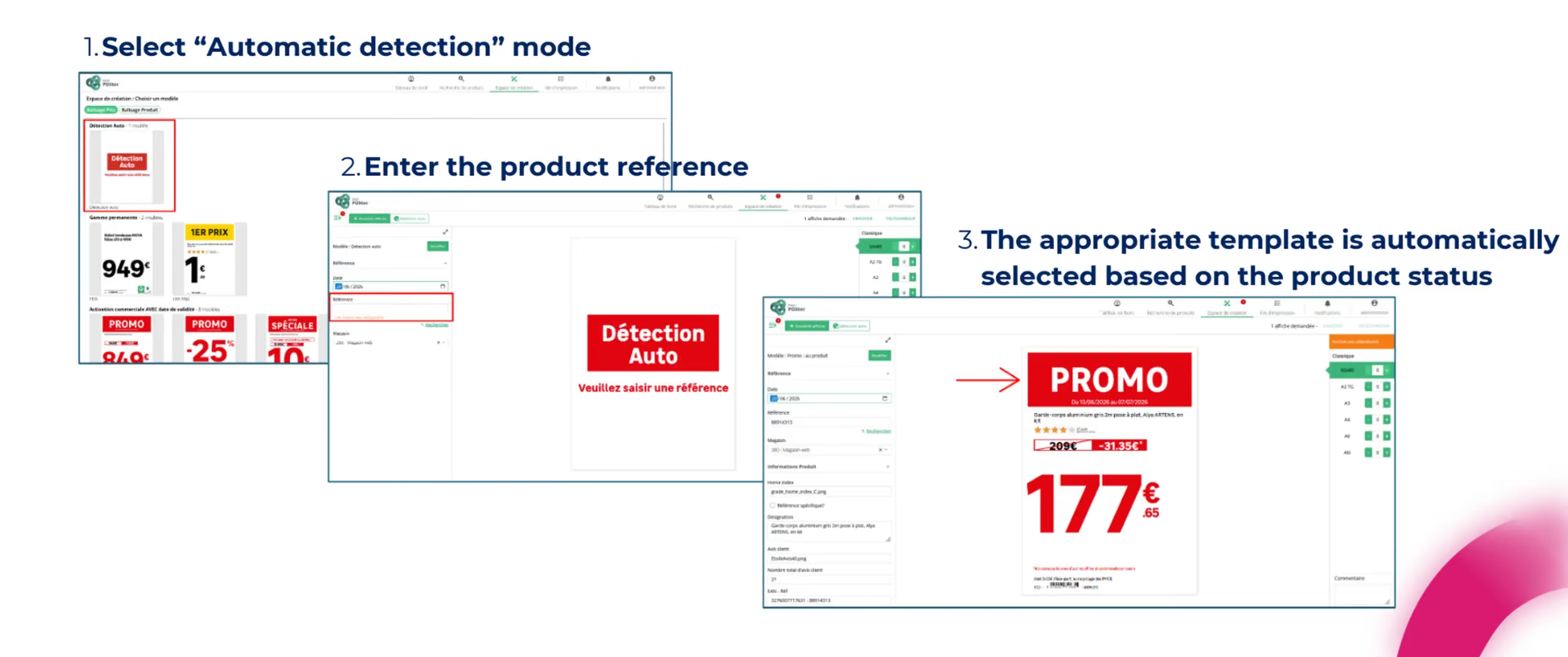
To create a data-connected sign, team members no longer need to design anything. The process takes just three steps.
- They select the automatic detection mode. Instead of choosing a sign template themselves, they let the platform decide.
- They enter the product reference. This is the only information they need to provide.
- The appropriate template is selected automatically based on the product's status. Promotional products are assigned a promotional template, new arrivals get an arrival template, and permanent prices use a standard template. The sign is generated with all up-to-date data.
Head office maintains a centralized view of all print jobs, can send print requests to stores, and provide them with files created by agencies.
What automation calculates for you
Beyond simply pulling data, the platform handles calculations and decisions that are common sources of manual error:
- Price type, whether permanent, promotional, discounted, or entry-level.
- Discount calculations, in both absolute amounts and percentages.
- Sales unit and unit price, such as price per liter or per kilo, selected based on the product or its category.
- Promotional campaign affiliation, including validity dates.
- Technical specifications and regulatory icons, populated automatically based on the product category.
- Language, automatically adapted to the user's store within an international network.
These are precisely the types of calculations where an error easily goes unnoticed during creation, but stands out to the customer on the shelf.
From single items to mass creation
Creating one sign at a time is fine for occasional needs. For a sales event, you need to produce hundreds or even thousands of materials.
Bulk creation begins by searching for products based on several criteria: by reference, campaign, rebate offer, or nomenclature. Search filters can be customized to match the retailer's organization. Once products are selected, simply choose the templates and formats to generate up to 1,000 displays in a single operation.
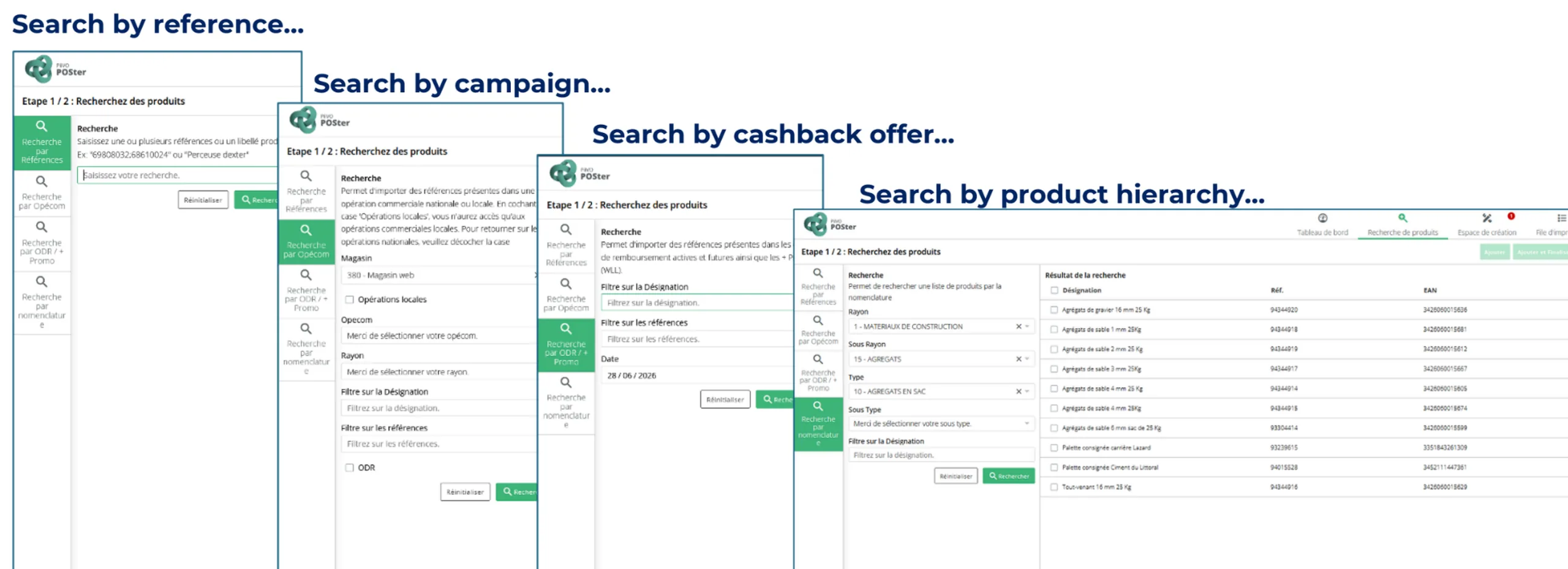
Multi-criteria search, the starting point for bulk creation.
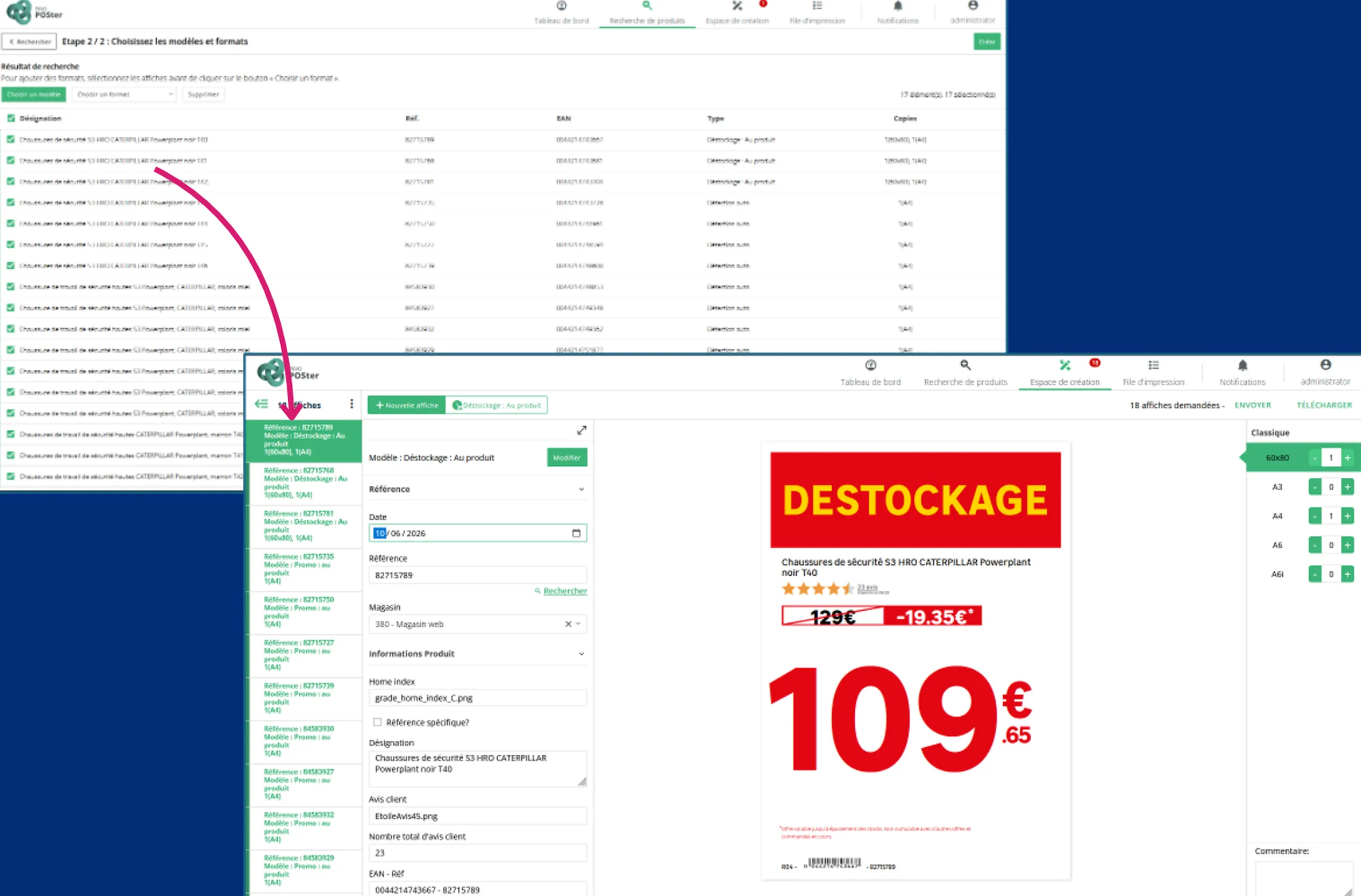
The selected products, and the signs generated in a single run.
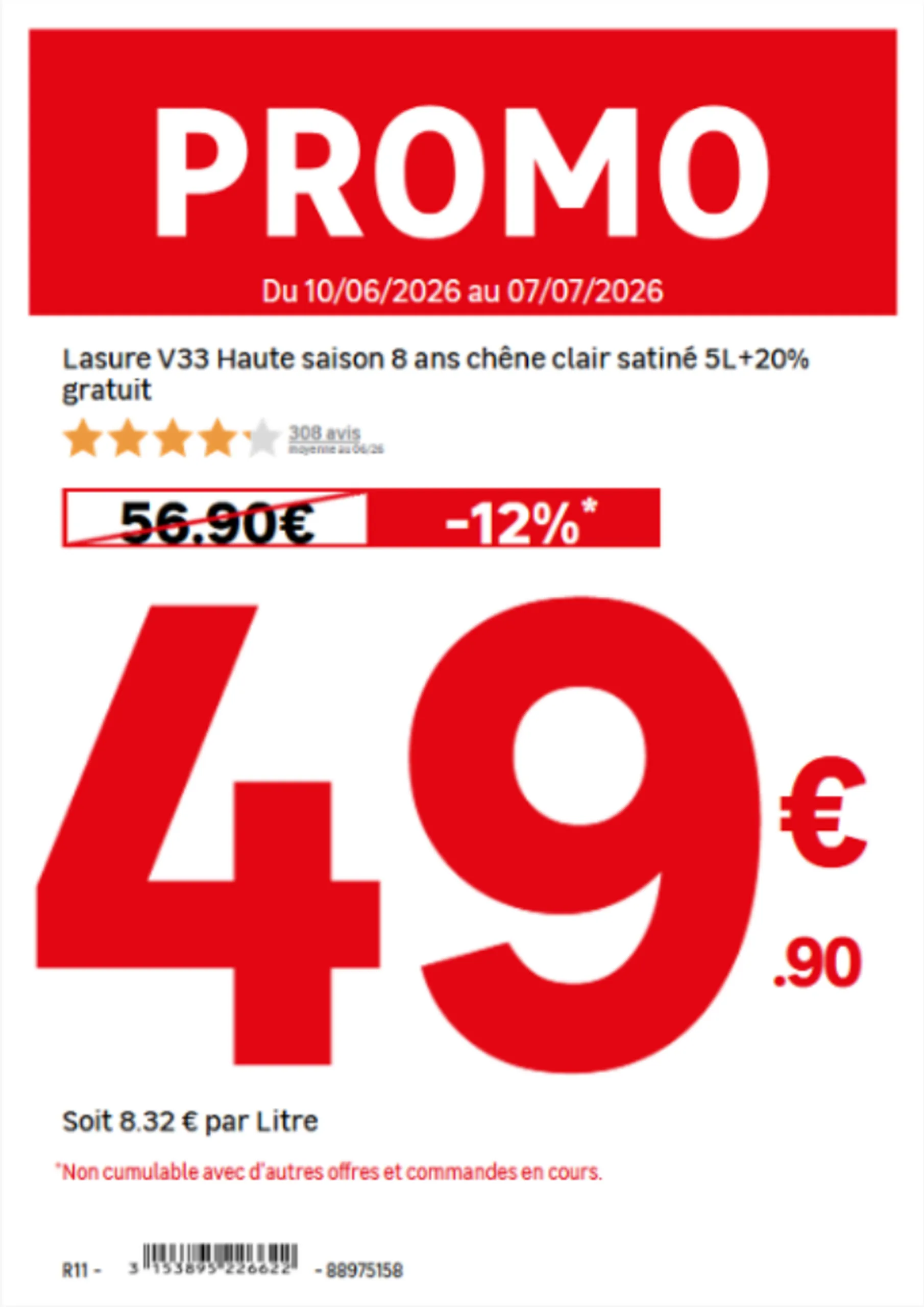
The unit of measure is chosen automatically according to the product.
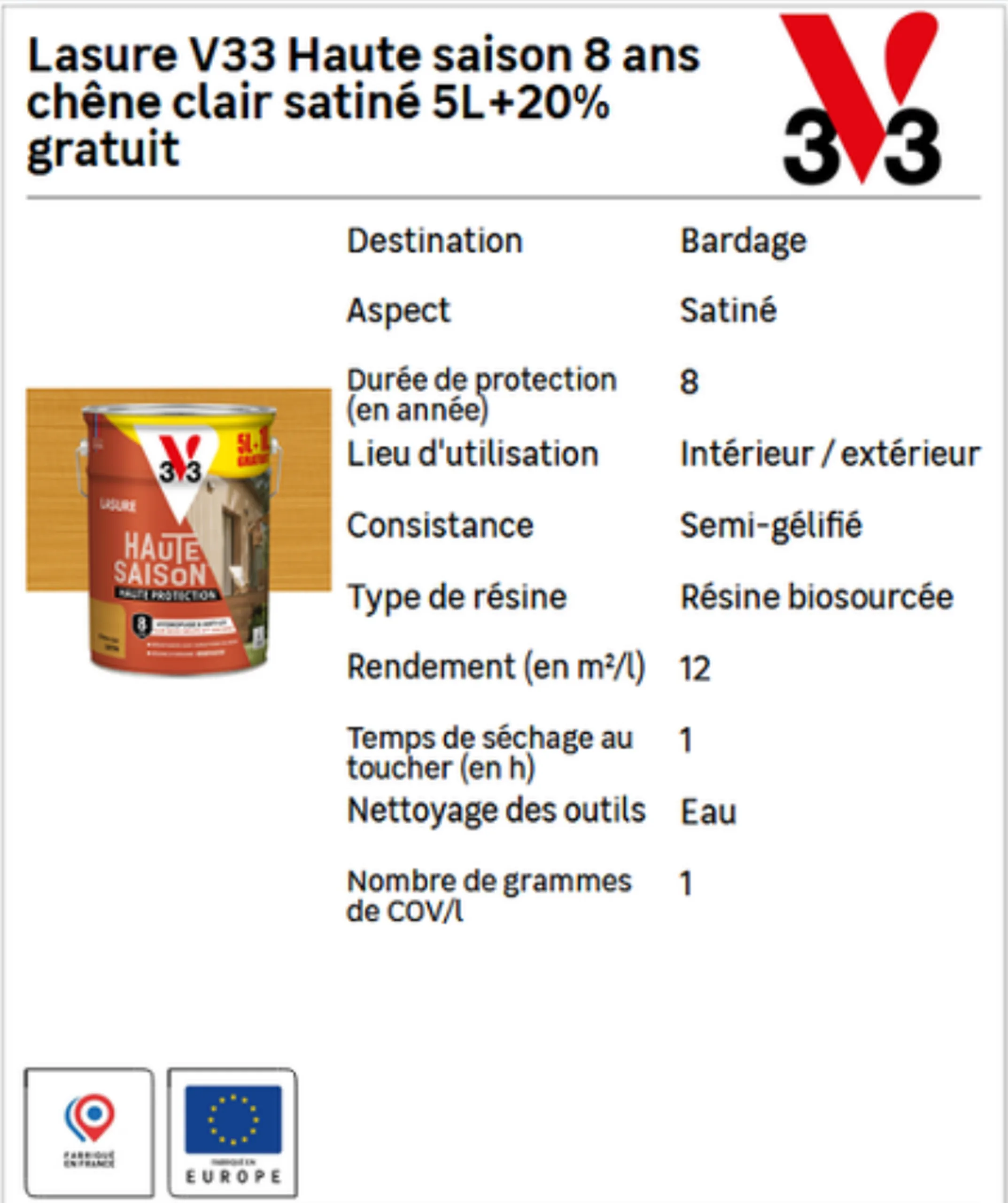
Specifications and pictograms are filled in according to the product family.
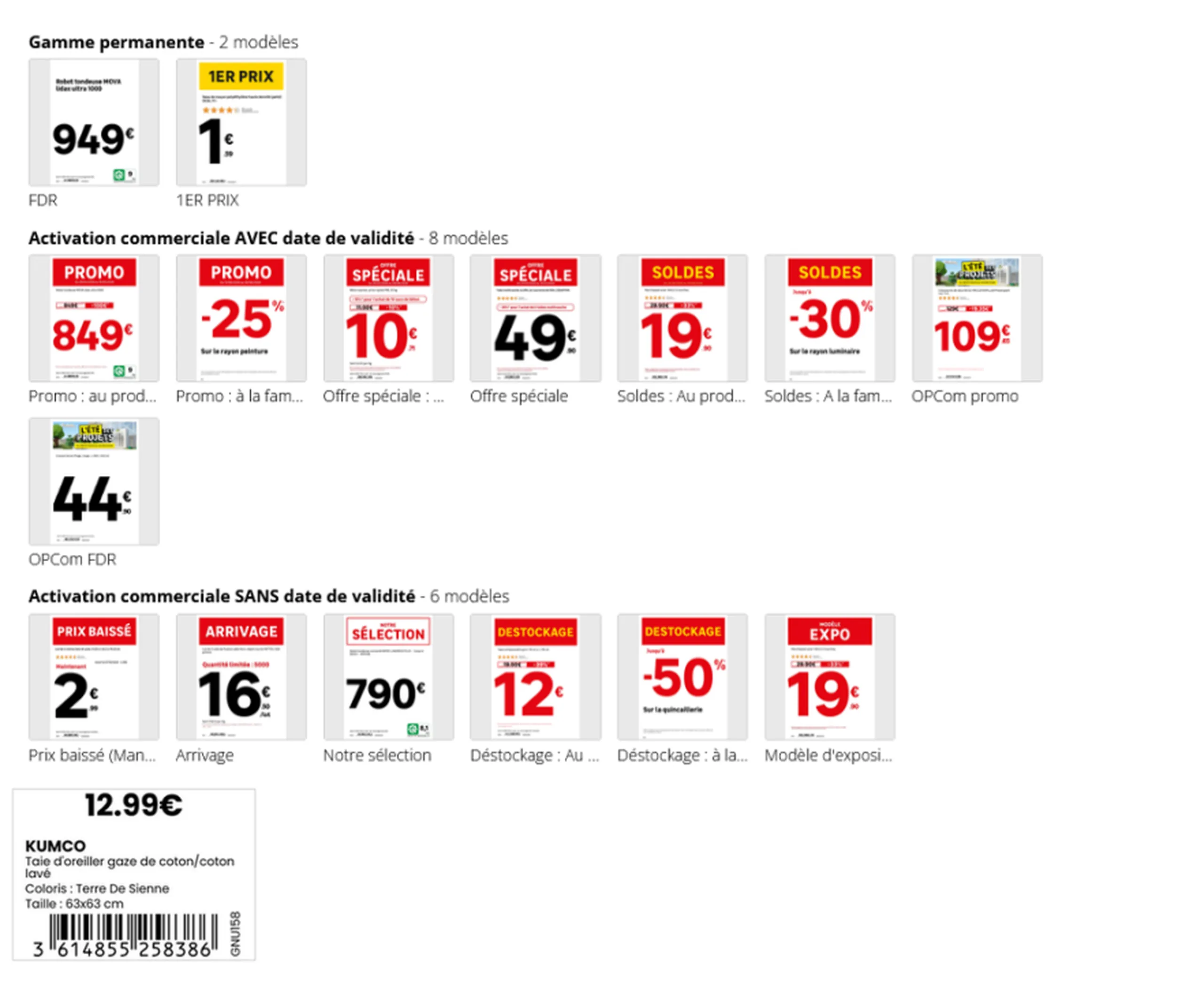
One template per commercial situation, applied automatically.
Across a network during peak periods, these operations multiply. During Black Friday, all participating retailers can generate over 220,000 posters in a single day, by aggregating operations from all stores.
From poster to shelf: automated distribution
Producing the poster is not enough; it must also reach the right place in the right format. This is the final step to automate.
The process can be triggered from two sources: a staff member creating the poster in-store, or the automatic detection of a price change in the ERP. In both cases, the following steps occur without intervention:
- Printing is triggered automatically, or the appropriate output format is selected.
- The document is routed to the correct printer and paper tray.
- Printing and layout are optimized.
- Electronic shelf labels are updated at the same time as paper materials.
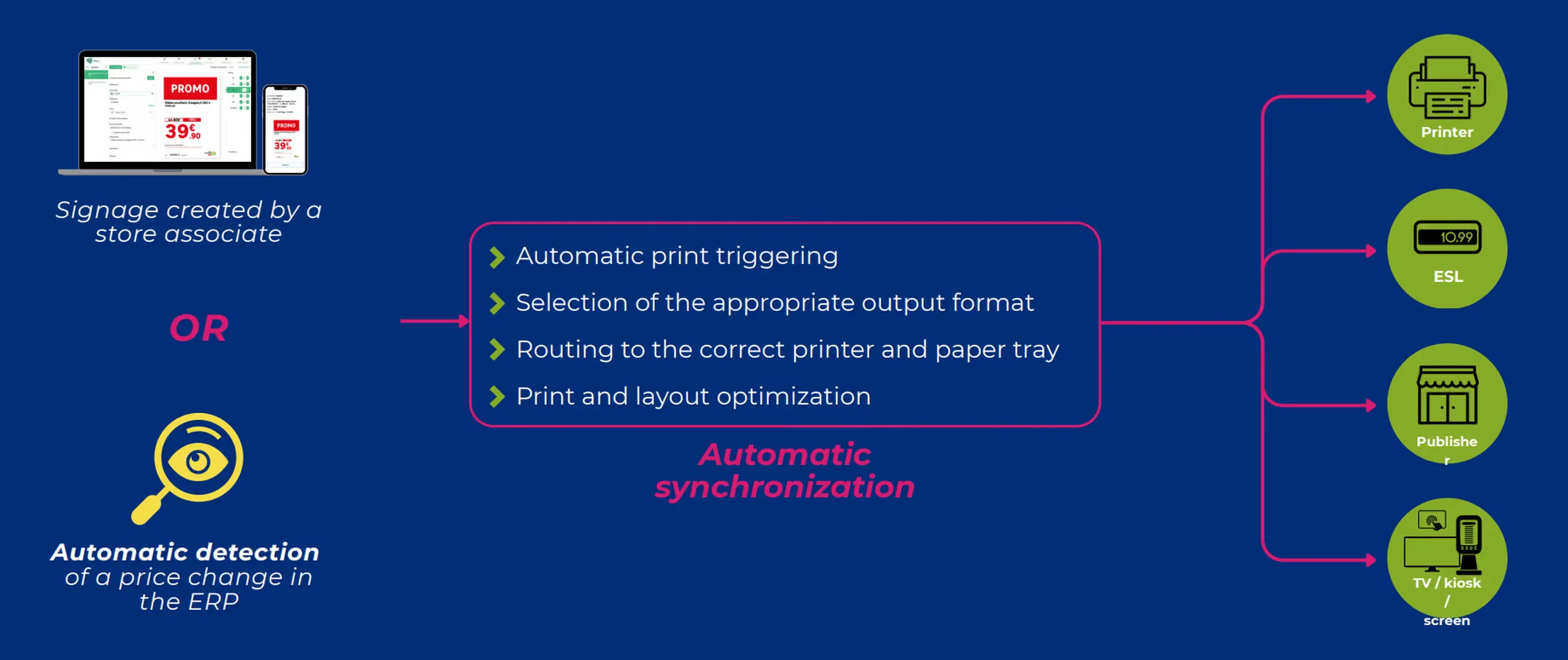
Meanwhile, headquarters maintains a centralized view of all print jobs, can send print requests to stores, and provide them with files created by agencies.
In the field: print directly from the aisle
Not everything is decided at headquarters. In-store, a staff member notices a missing label, a price to correct, or a product to highlight. The mobile app allows them to take immediate action in four steps: select the template, customize the format, check the preview, and send to print, even in bulk.
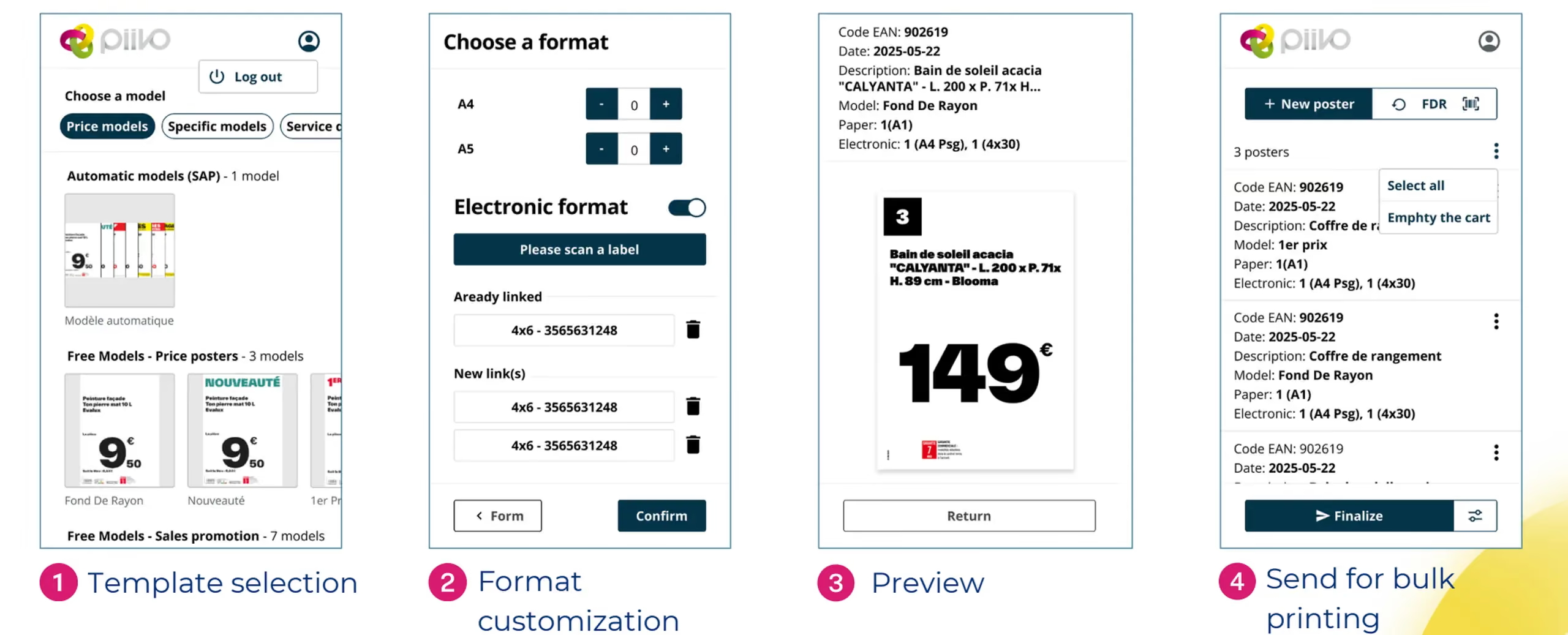
What this changes in practice
Eliminating manual data entry transforms in-store signage in three key ways.
Reliability. The displayed price matches the recorded price, mandatory information is included, and units are consistent. Signage is compliant with brand guidelines by design, as all materials are generated from the same templates.
Network consistency. Every store displays the same information, in the same format, at the same time. Customers find exactly what they saw online reflected on the shelf.
Staff time. Regarding signage tasks, one retail chain reports a time saving of approximately half. This time is reinvested into sales and customer service.
In summary
Automating label creation isn't just about producing the same materials faster. It’s about ensuring product data flows seamlessly from the master system all the way to the shelf.
Connecting to data sources, automatically selecting the right template, handling calculations, and pushing updates to printers and electronic shelf labels: every step eliminates a potential for error. The result is accurate, network-wide consistent signage, and staff freed up for what matters most: the customer.
In-store signage: the complete guide for retail networks
Posters, shelf labels, shelf talkers: in-store signage is the final link between a retailer and its customer. Discover what makes signage effective, the mistakes seen most often on the shop floor, and how a network can keep every display accurate and consistent at scale.
00
min read
What is in-store signage? In-store signage encompasses all the materials that inform and guide customers on the shelf: posters, price tags, shelf talkers, end-cap displays, banners, and electronic shelf labels. Successful signage is compliant with brand guidelines and regulations, features up-to-date pricing and product data, is error-free, and maintains impeccable graphic quality.
In a store, signage is the bridge between the offer decided at headquarters and the customer standing in front of the shelf. It informs, guides, and highlights. And when done poorly, it does the exact opposite: it misleads, undermines credibility, and becomes costly.
For a single store, the task is manageable. For a network of dozens or hundreds of locations, it becomes an industrial challenge. Here is what effective signage looks like, the most frequent mistakes in the field, and why automation is a game-changer at the network level.
What in-store signage covers
Signage refers to all communication materials placed in-store to inform customers about products, prices, and promotions. It is not limited to price tags: it covers everything that speaks to the customer on the shelf.
It is often confused with directional signage, which helps customers navigate the store, or with POS advertising, which promotes a specific brand. Signage, however, carries product information and pricing—the elements that legally bind the retailer.
Signage materials: what a network must manage
A retail chain constantly juggles several categories of materials, each with different constraints and production lead times.
Paper materials, which remain the most common:
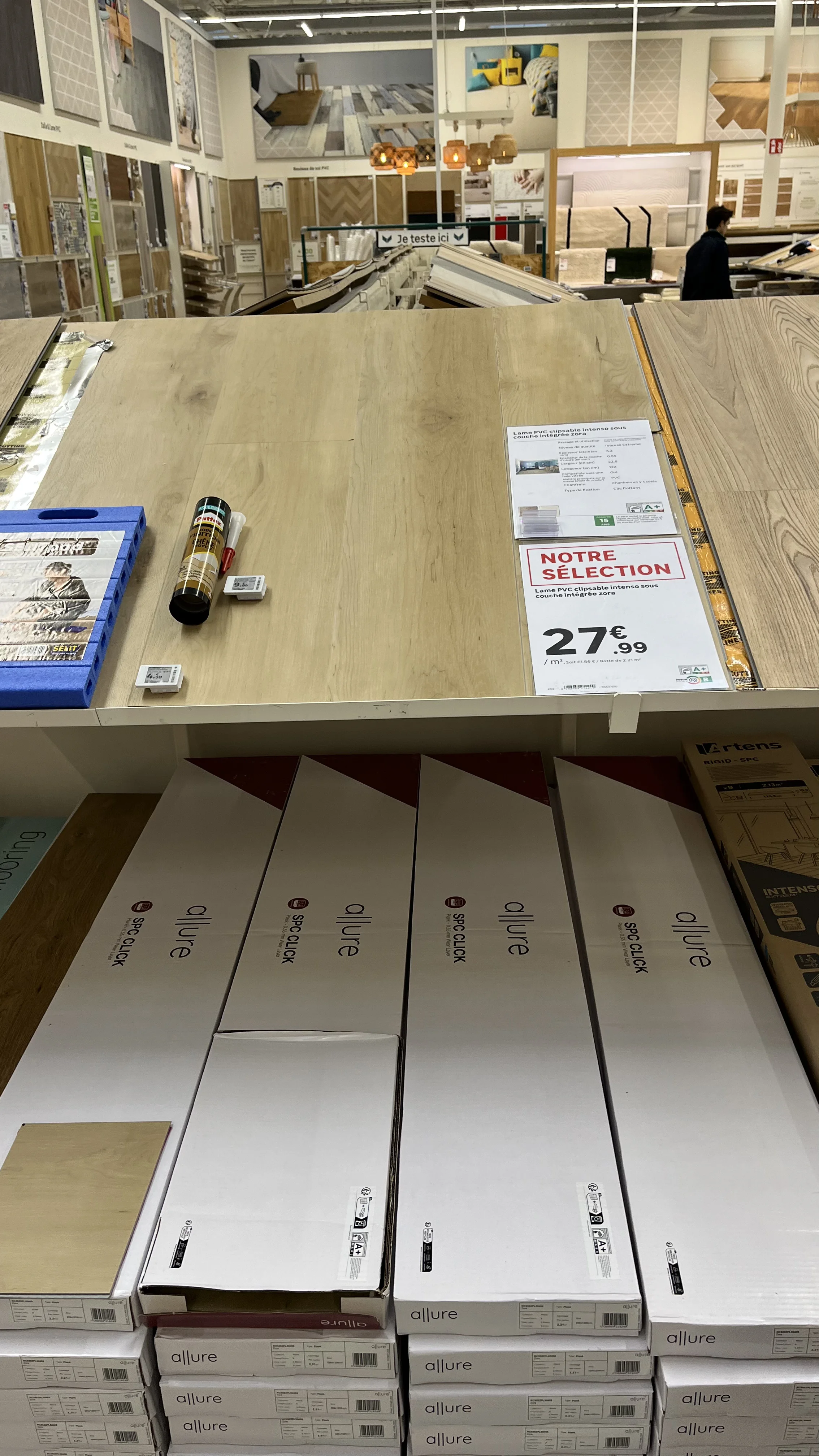
- Posters, from small formats to large promotional displays.
- Shelf price tags.
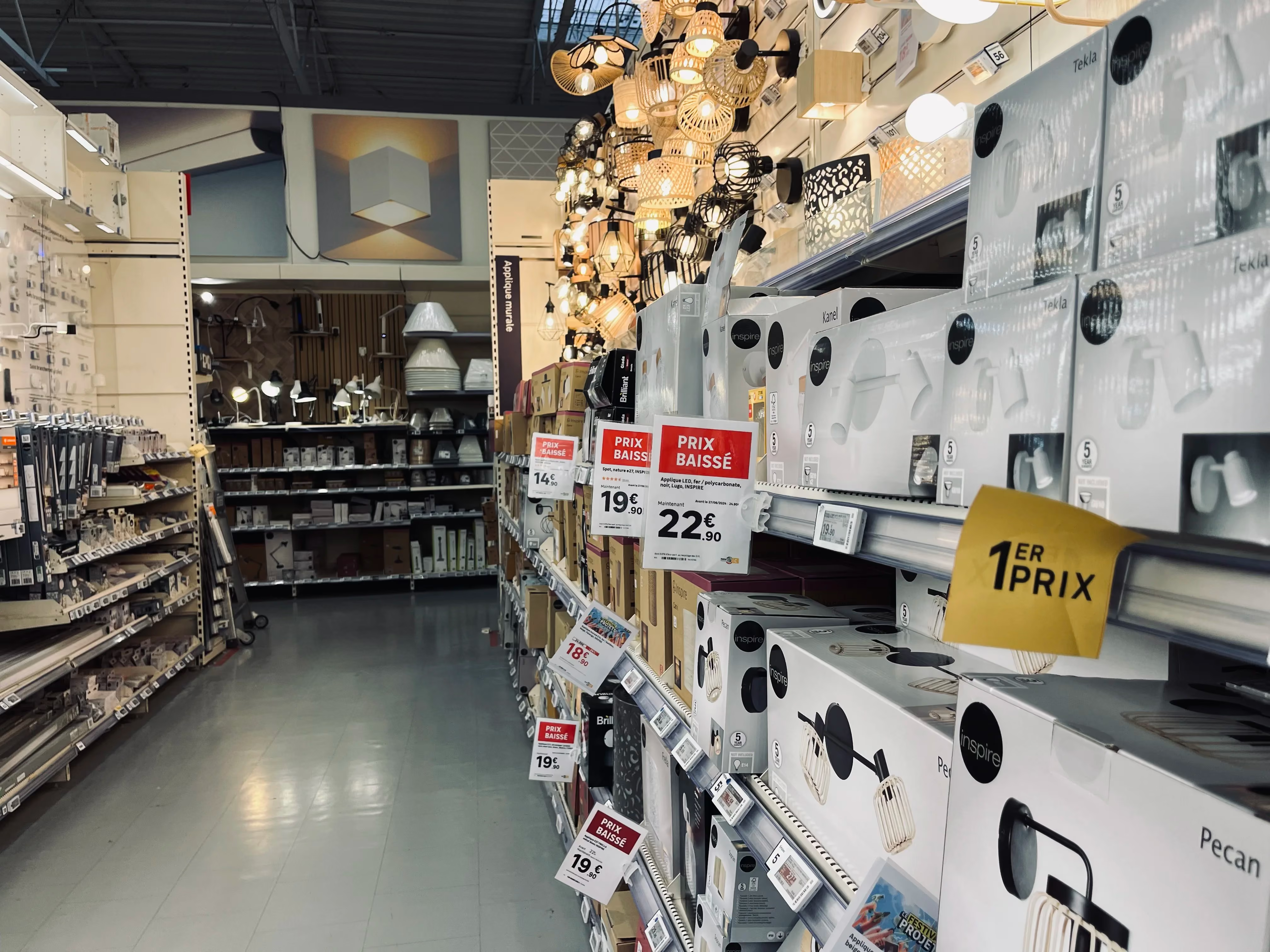
- Shelf talkers, which highlight a product from the aisle.
- End-cap display materials, for the most visible locations.
- Large-format banners, particularly for store exteriors.
Electronic shelf labels, which are updated remotely and are gaining ground in high-turnover departments.
Screen displays, televisions, kiosks, and tablets capable of displaying visuals or documents. Their use remains more marginal in standard signage today.
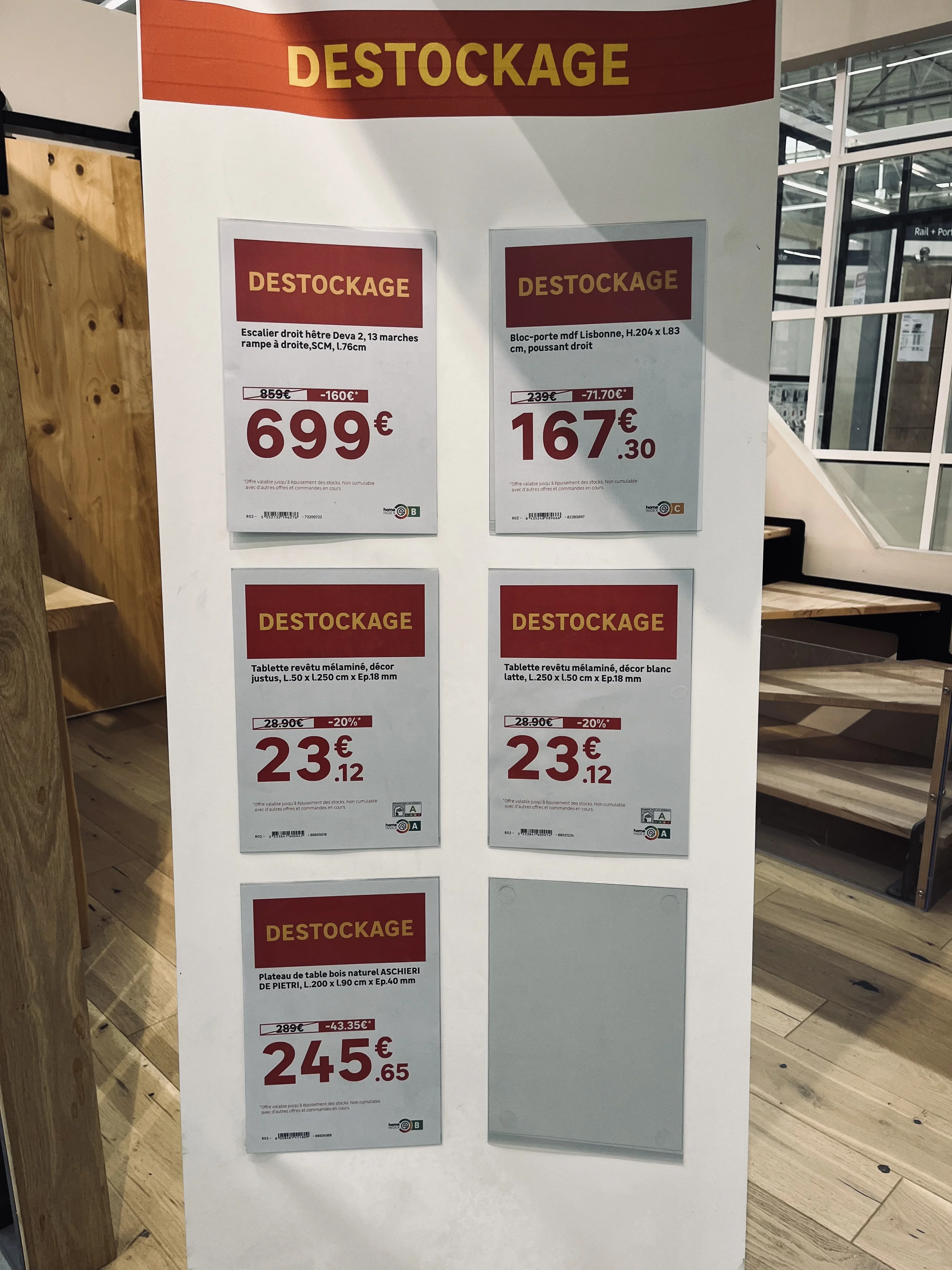
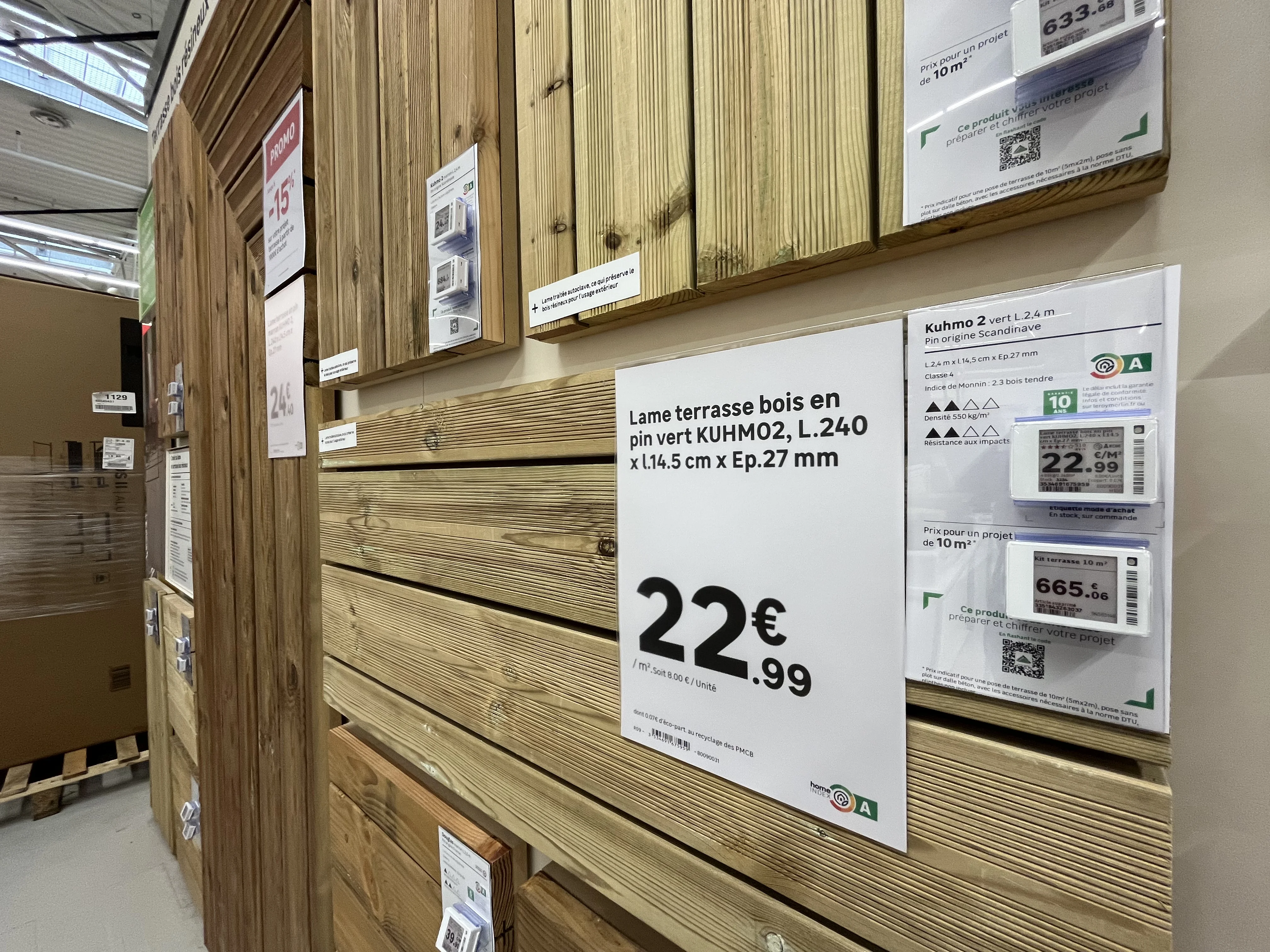
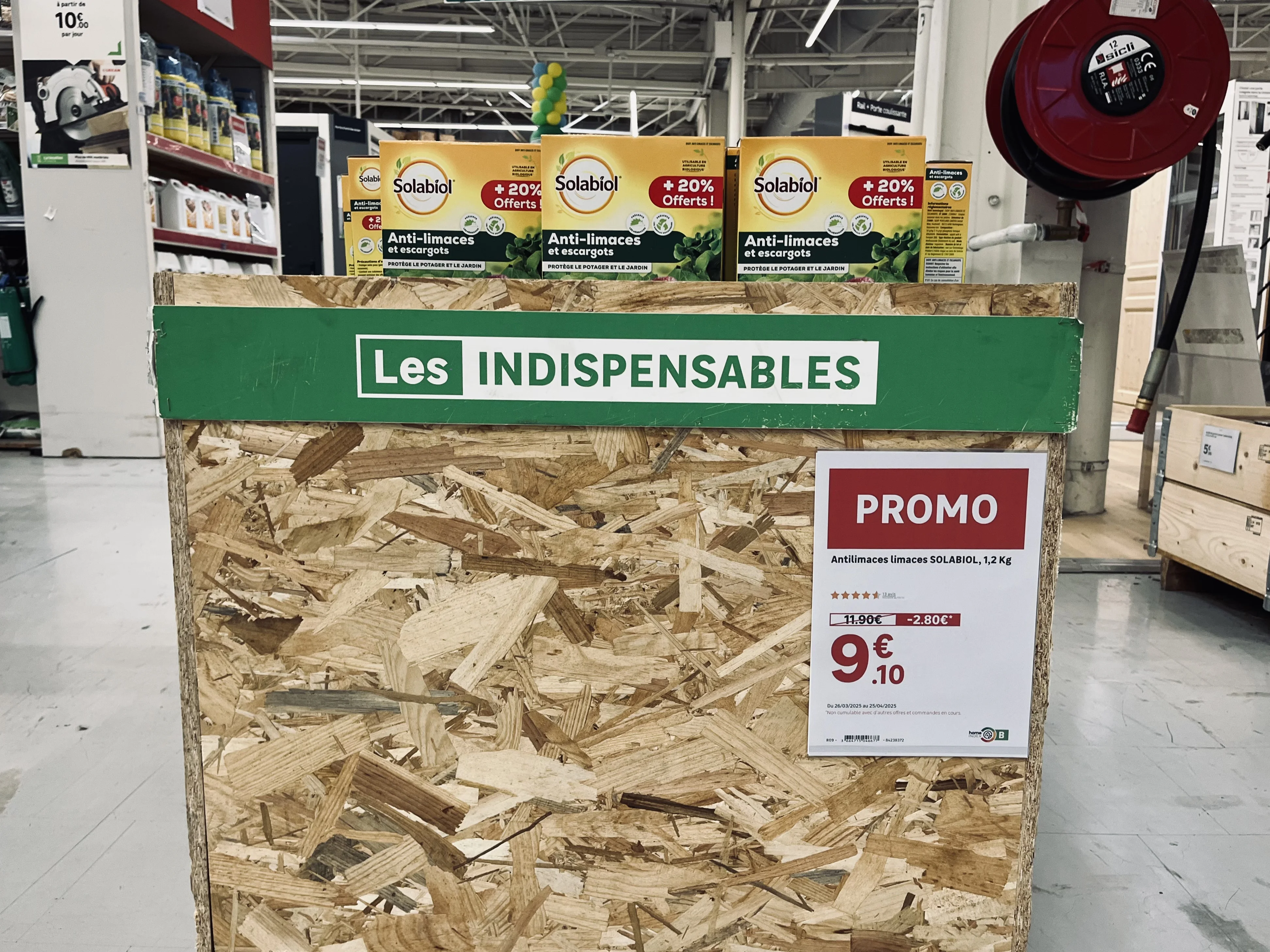
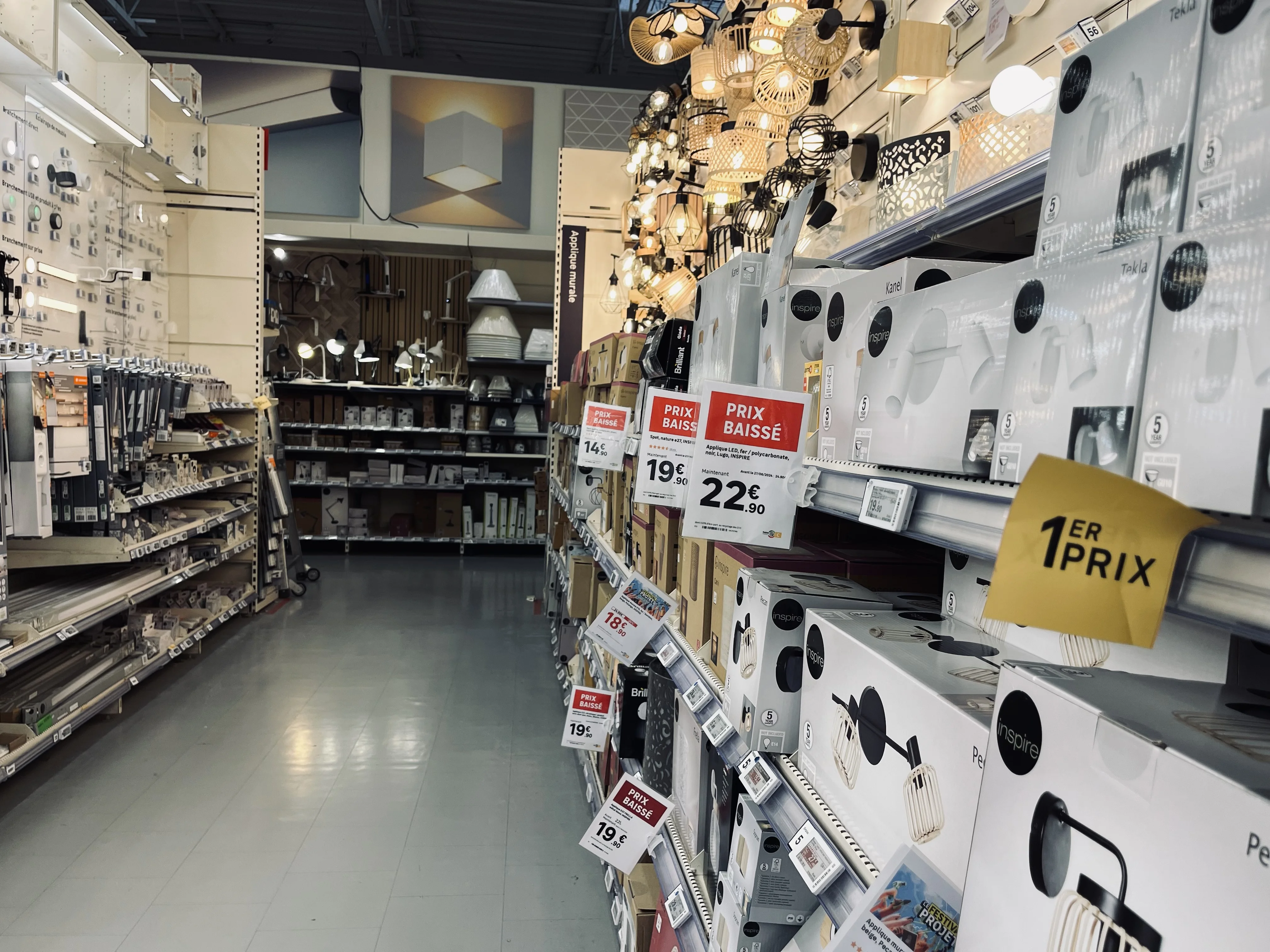
The challenge is not producing one of these formats. It is producing the right ones, with the right data, at the right time, and consistently across the entire network.
The five criteria for successful signage
In the field, quality signage is recognized by five cumulative criteria. If even one is missing, the display loses its value or even becomes a liability.
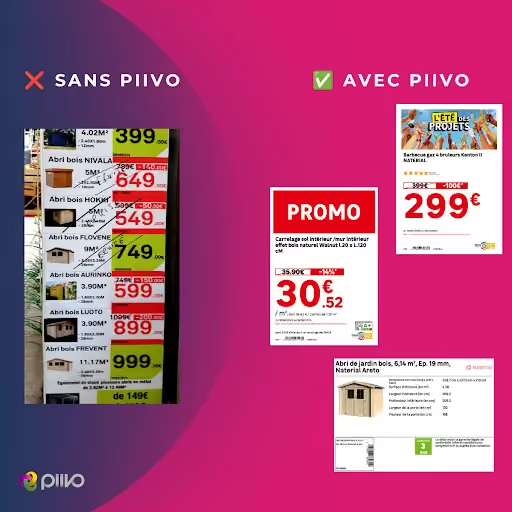
- Compliance with the brand's visual identity. The display must respect brand guidelines, regardless of which store produces it.
- Regulatory compliance. Mandatory information must be present and accurate, including prices, units, and legal disclosures based on the product category.
- Up-to-date data. The displayed price must match the price at the register, and product information must accurately reflect the current offer.
- Flawless copy. A spelling mistake on an in-aisle sign directly damages the brand's credibility.
- Impeccable graphic quality. No pixelation, clean framing, and accurate colorimetry.
The most common signage errors
These errors almost never stem from a lack of diligence by the teams. They occur because, without the right tools, each store recreates its signage manually, in a rush, using data entered by hand.
Outdated pricing. This is the costliest error, as it creates a discrepancy between the shelf and the register, posing an immediate commercial and regulatory risk.
Failure to follow brand guidelines. Adding a visual that violates brand guidelines, using an approximate color, or improvising a layout: the network loses its consistency, and each store ends up with its own identity.
Inconsistent product data. The classic scenario: headquarters decides to communicate a feature in a specific unit, and the store uses another. The customer then compares information that cannot be compared from one aisle to another, or from one store to another.
Spelling mistakes, which go unnoticed during creation but jump out at the customer.
A promotional price higher than the original price. The most embarrassing error, which turns a sales campaign into an argument against the brand. This type of blunder spreads quickly on social media, where retail observers regularly post photos of these inconsistencies.
The common thread in all these errors: they arise the moment information is re-entered manually instead of being pulled from the source.
The real challenge: scale
What makes signage difficult in a network is not the complexity of a poster. It is the volume, concentrated over short periods.
The orders of magnitude observed at retail chains show the scale:
- More than 220,000 posters generated in a single day across a chain of stores during Black Friday.
- 160,000 posters produced by a major home improvement retailer for a single Black Friday event.
- 3,000 posters per day on average for a distributor, which is nearly 100,000 per month.
- 10,000 signs per day during a standard period at another retailer, or 300,000 per quarter.
At these volumes, manual production is no longer an option. The bottleneck isn't the store; it's the ability to quickly generate accurate, compliant, and consistent signage.
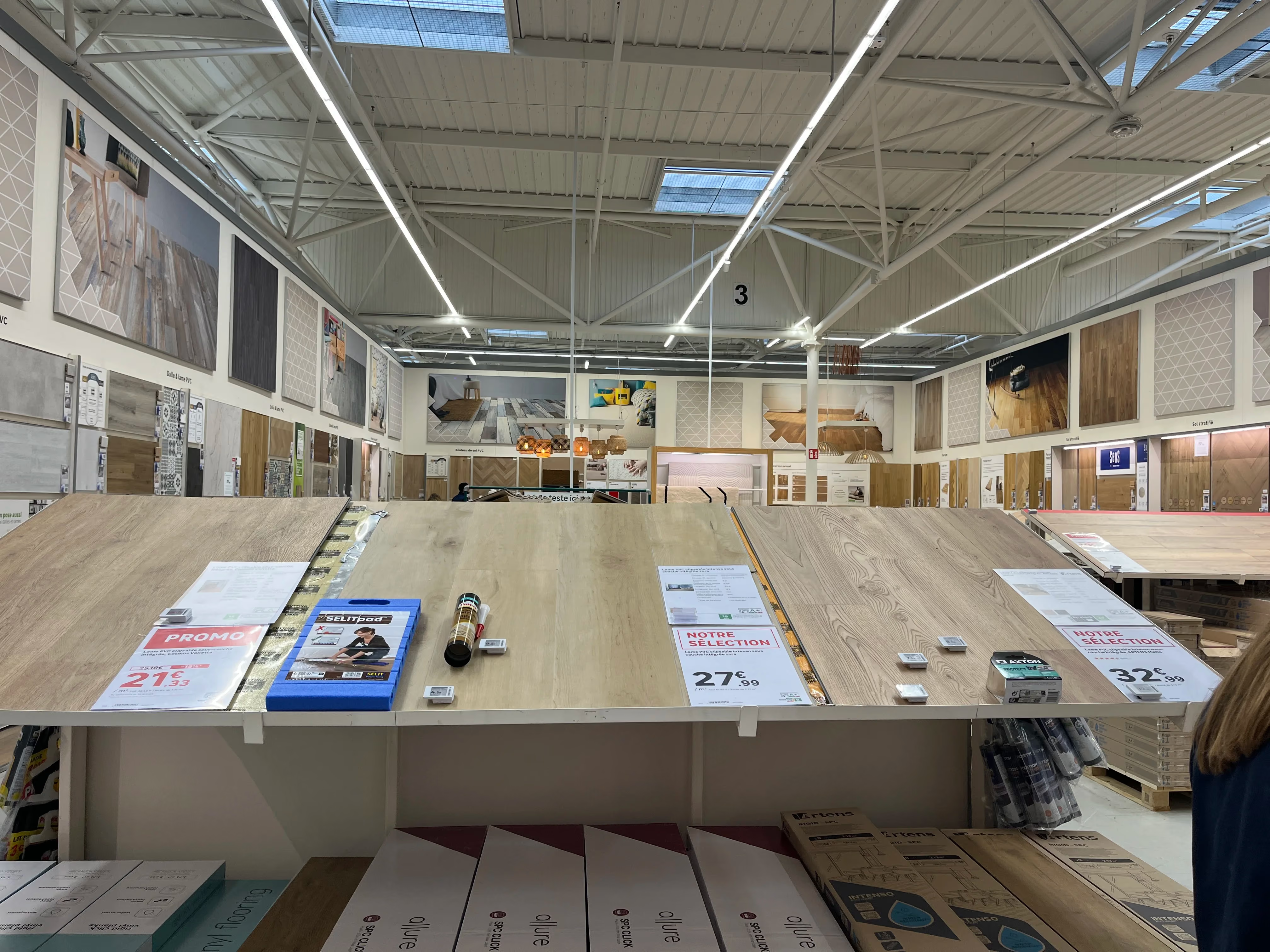
Manual vs. automated signage: what changes
How automation solves the problem
Automating signage isn't about producing the same materials faster. It's about eliminating the step that causes errors: manual data entry.
Data is pulled directly from the source. Pricing, product names, specifications, and mandatory disclosures come straight from the retailer's systems. What is displayed on the shelf therefore matches what is actually in the system.
Templates are centralized. Headquarters defines the templates, ensuring they comply with brand guidelines and regulations. Stores don't recreate anything; they generate. Network consistency is guaranteed by design.
Deployment is global. A campaign is launched simultaneously across all relevant stores, rather than depending on the availability and diligence of individual teams.
Teams are freed up. Time previously spent creating signage is returned to sales and customer service, especially during peak periods.
In summary
Signage is not just a minor execution detail; it is the final link between a retailer's commercial strategy and its customers. Accurate signage inspires confidence, while sloppy signage casts doubt on everything else.
For a retail network, the goal is not just to make prettier posters, but to ensure that every piece of signage in every store is compliant, up-to-date, and consistent, regardless of the production volume. This is precisely what data-connected signage automation enables.

What if your signage finally kept pace with the rhythm of your organization ?
In just a few minutes, discover how PiiVO can adapt to your network and provide real relief for your teams.

Answers to key questions before deploying PiiVO
Integration, deployment, field use: we provide simple answers to the key points before you get started.
Yes. PiiVO connects to your repositories (ERP, PIM, DAM, pricing systems, internal solutions, etc.) via API or secure feeds. The solution leverages your existing data without duplication or manual entry, regardless of your IT system's maturity.
Let's discuss your needsYes. PiiVO allows the head office to enforce display templates that comply with brand guidelines while still allowing for controlled customization by franchise stores. The tool facilitates alignment between headquarters and the field.
Let's discuss your needsYes. The SaaS platform is designed to handle high volumes, complex environments, and international deployments. It integrates with structured IT architectures and meets all governance and SLA requirements.
Let's discuss your needsYes. PiiVO is designed for simple, practical use in the field. Creating price tags, signage, or product sheets takes just seconds, with no need for makeshift tools or manual data entry.
Let's discuss your needsNo. PiiVO builds on your existing solutions. With PiiVO Printer, print workflows are simply automated and orchestrated, without disrupting your current infrastructure.
Let's discuss your needsThe timeline depends on your structure and scope. An initial deployment can be completed quickly, with a gradual rollout tailored to your organization.
Let's discuss your needsAutomate product and price displays in-store


